Synthesizer V Studio 2 Pro 2.2.0 Beta 3

Dear users,

We are excited to announce the 3rd beta for the upcoming version 2.2.0 of Synthesizer V Studio 2 Pro, one of the most significant updates to the software since the launch of version 2.

Download Links

Windows: https://drive.google.com/file/d/1gMYikN0qnOAmIt9-v4iTVMXAmGAMpSjZ/view?usp=sharing

macOS: https://drive.google.com/file/d/1PRGsJvsGgwgTNtmOX1kw1tBEVa6dVFv0/view?usp=sharing

About This Beta

Version 2.2.0 focuses on providing users with easy-to-use tools for creating complex and nuanced vocal arrangements, including harmonies, doubling, and layered vocal textures.

Since the previous two beta versions, we have worked on improving the stability and incorporated a few user-requested features. Notable changes include:

Improved MusicXML support

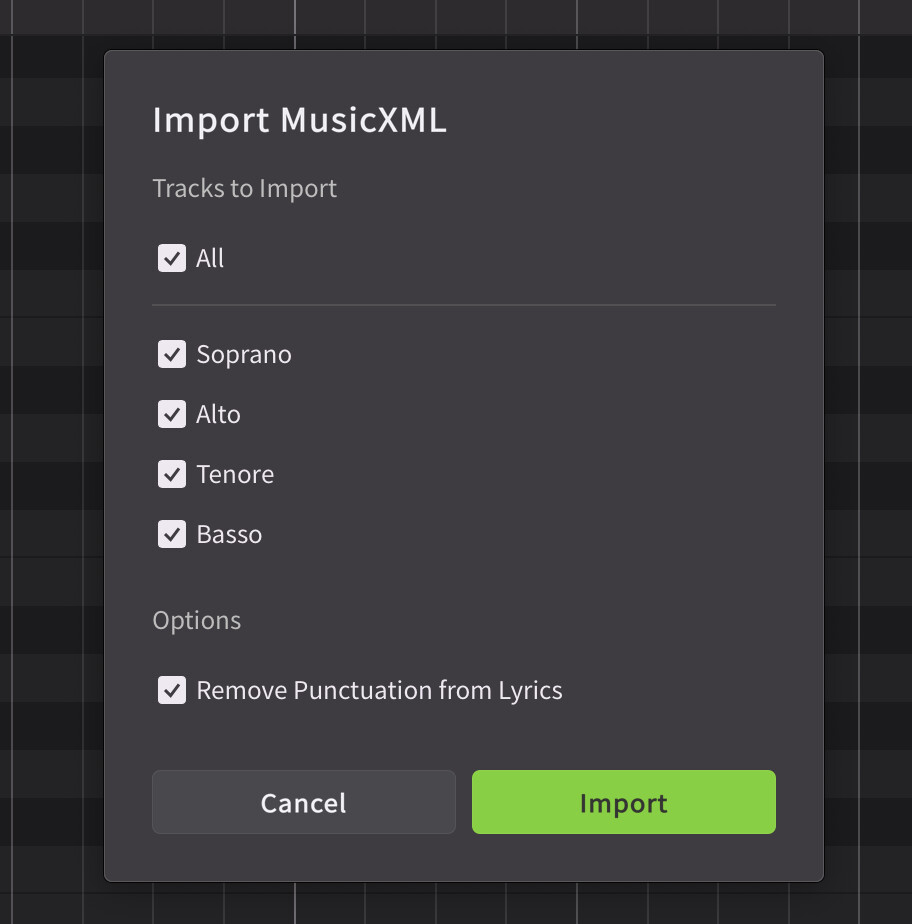
The MusicXML import dialog now includes an option to remove all the punctuations from the lyrics, maintaining pronunciation consistency when a dictionary is applied.

We have also improved the handling of octave changes and tied notes.
Split Unison into Tracks

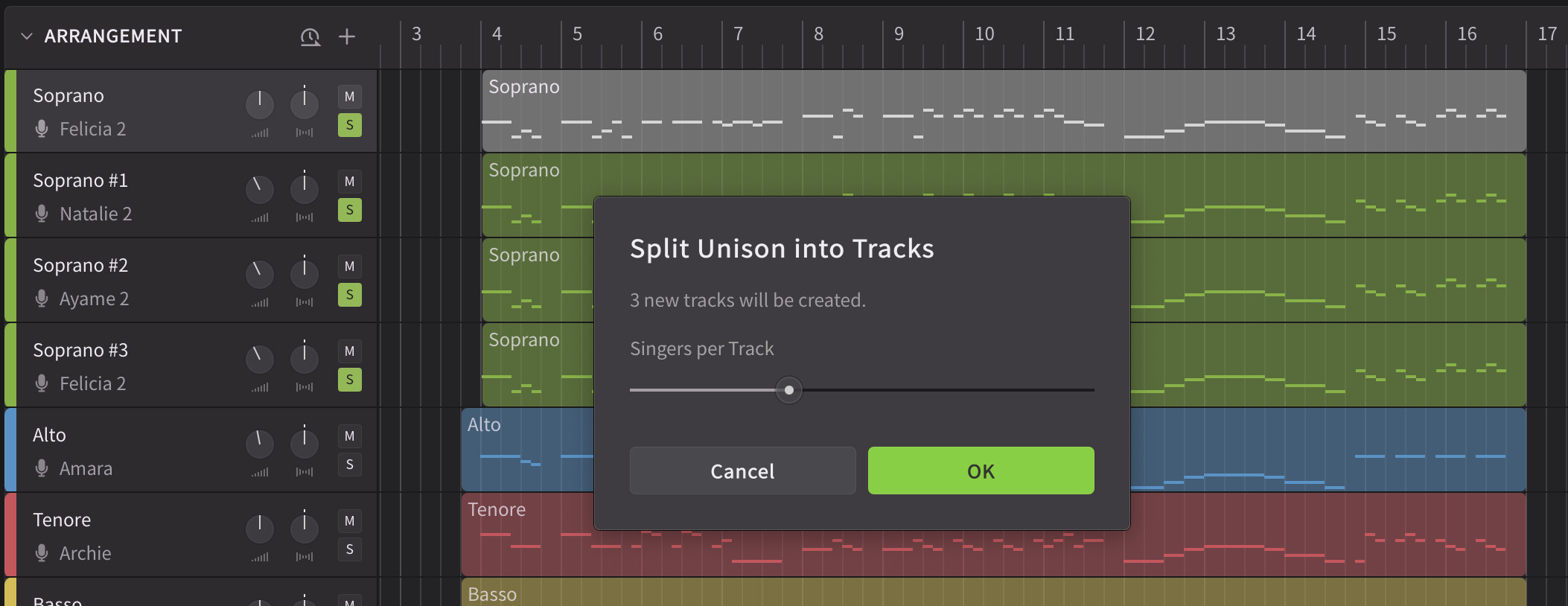
A new command is added to the right-click menu of a track that takes apart a track containing doubled voices and creates a number of new tracks with smaller sized (or solo) groups. It automatically sets the gain and singer positioning for the new tracks to maintain the volume and texture.
Global Control for Consonant Strength

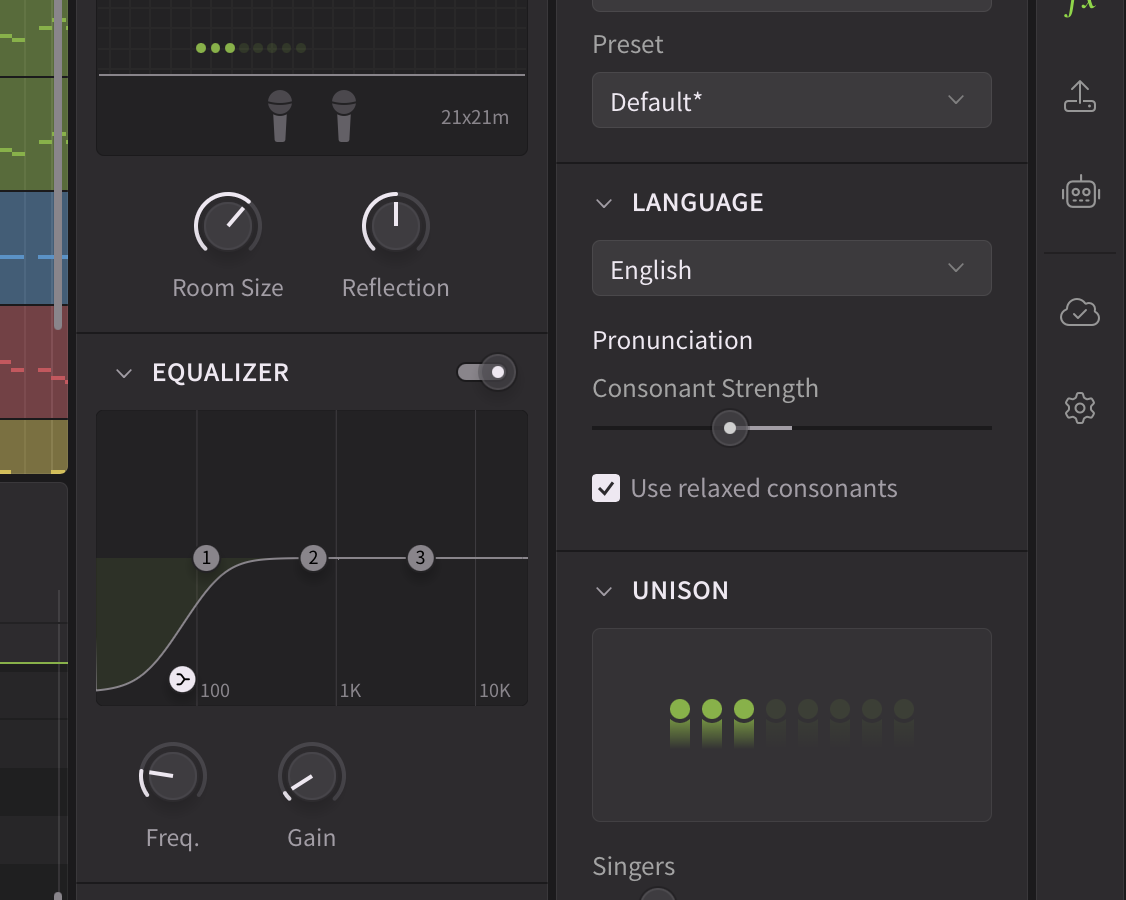
Noticing that choral vocals often feature less pronounced consonants, we have added a slider to Voice Panel that modules the strength of all unvoiced consonants in the group.

In addition, an optional low shelf section is added to the EQ, which can be helpful for cleaning up plosive sounds.
Terminology Change

We have changed the naming for “Voice Doubling” into “Unison”, reflecting the underlying mechanism powered by (internal) AI retakes, as opposed to an audio effect applied during post-processing.

Reporting Issues

Please submit bug reports through our support form. Please specify version “2.2.0b3” in your ticket:
https://dreamtonics.zendesk.com/hc/en-us/requests/new?ticket_form_id=44558189476505

While we welcome feedback on the forum, we may not be able to address the replies promptly. It’s also difficult to request necessary details (e.g. project files) for bug reproduction in a public forum. Therefore, we kindly request that you report issues via the support ticket system.


Synthesizer V Studio 2 Pro 2.2.0b3 (Dec 19th, 2025)

New Features

  • Added a command to the right click menu of a track for splitting a unison into smaller groups or individual voices.
  • Added a slider to Voice panel that modules the strength of all unvoiced consonants in the group.
  • Added a low shelf filter to the EQ.

Behavior Changes

  • Renamed “Voice Doubling” to “Unison”.

Feature Enhancements

  • Improved MusicXML support:
    • Properly handle clefs with octave changes;
    • Removed redundant note splits for tied notes;
    • Added an option to remove all punctuations from the lyrics during MusicXML import.

Bug Fixes

  • Fixed several feature regressions introduced in 2.2.0b2:
    • Crashes during exit or plugin scanning;
    • The vocal mode sliders can no longer be edited by double clicking and typing in the value.
  • Fixed “Bypass gain and panning” option not applied to instrumental tracks during bouncing.
  • Fixed incorrect panning of voices inside a unison when a track contains two closely located groups.
  • Fixed the incorrect decimal padding in the project time counter when the last two digits are below 0.1 secs.
  • Fixed crashes when duplicating a track whose name starts with “+”.
  • Fixed group muting not working in ARA synced tracks.
  • Fixed failure to redo Voice-to-MIDI conversion after undoing the operation.
  • Fixed zoom ratio displayed in the parameter panel not updating when switching between Pitch Deviation, Loudness and Vibrato Envelope parameters.
  • Fixed missing Vocal Mode options when the group has a version of the voice that is not installed on the current device.
  • Fixed noises at the beginning of bounced tracks when using the plugin versions.
  • Fixed mixer parameters not properly initialized in the first few hundred milliseconds of a project during playback.
  • Fixed inability to open an SVP file by double clicking when the standalone is already running on macOS.
  • Fixed wrong opacity of the waveform when a group contains muted notes.
  • Fixed an edge case where a note can be created outside a group.
  • Fixed onboarding screen not loading when the standalone and AAX-ARA plugin are simultaneously open on Windows.
  • Fixed ARA plugin crashes when changing the tempo in Cubase under specific conditions.
  • Fixed ARA plugin crashes when deleting the time selection in Cubase.
  • Fixed dialogs centered on the wrong monitor when using the plugin on a multi-monitor setup.
  • Fixed right-click menus showing at the wrong position when using the plugin on a multi-monitor setup on Windows where each of the monitors has a different scaling factor.
5 Likes

Option already done in version Beta 2.

Missing new feature:

  • Added into the cloud menu:
    A new submenu for each voices “Manage Versions” & “Show EULA”.
    Manage Versions: This to be able to download older, newer, beta versions of each voices.
2 Likes

I’m very happy to report the software crashes on exit seem to have stopped entirely with beta 3 :heart_eyes:
Awesome job, thank you Dreamtonics!

Tested software (all of them were crashing with previous betas):
Standalone, Reaper, Studio One, Cantabile, PluginBuddy

Tested additionally (without any noticeable issues when using beta 3):
Bitwig Studio, WaveformPro

This is all after a rather short test drive, but the first impression was very good here, it seemed to be very stable now!

1 Like

Some nice updates in Beta 3. Look forward to giving it a test drive.

1 Like

Great to see this being fixed, looking forward to test making new choir rehearsal tracks with beta3.

1 Like

Tenore Basso? is Italian coming next after French?

I think you meant obstruents, not unvoiced consonants. Sounds like b, z, dh, jh etc. are not “unvoiced consonants” but are also affected by the slider.

1 Like

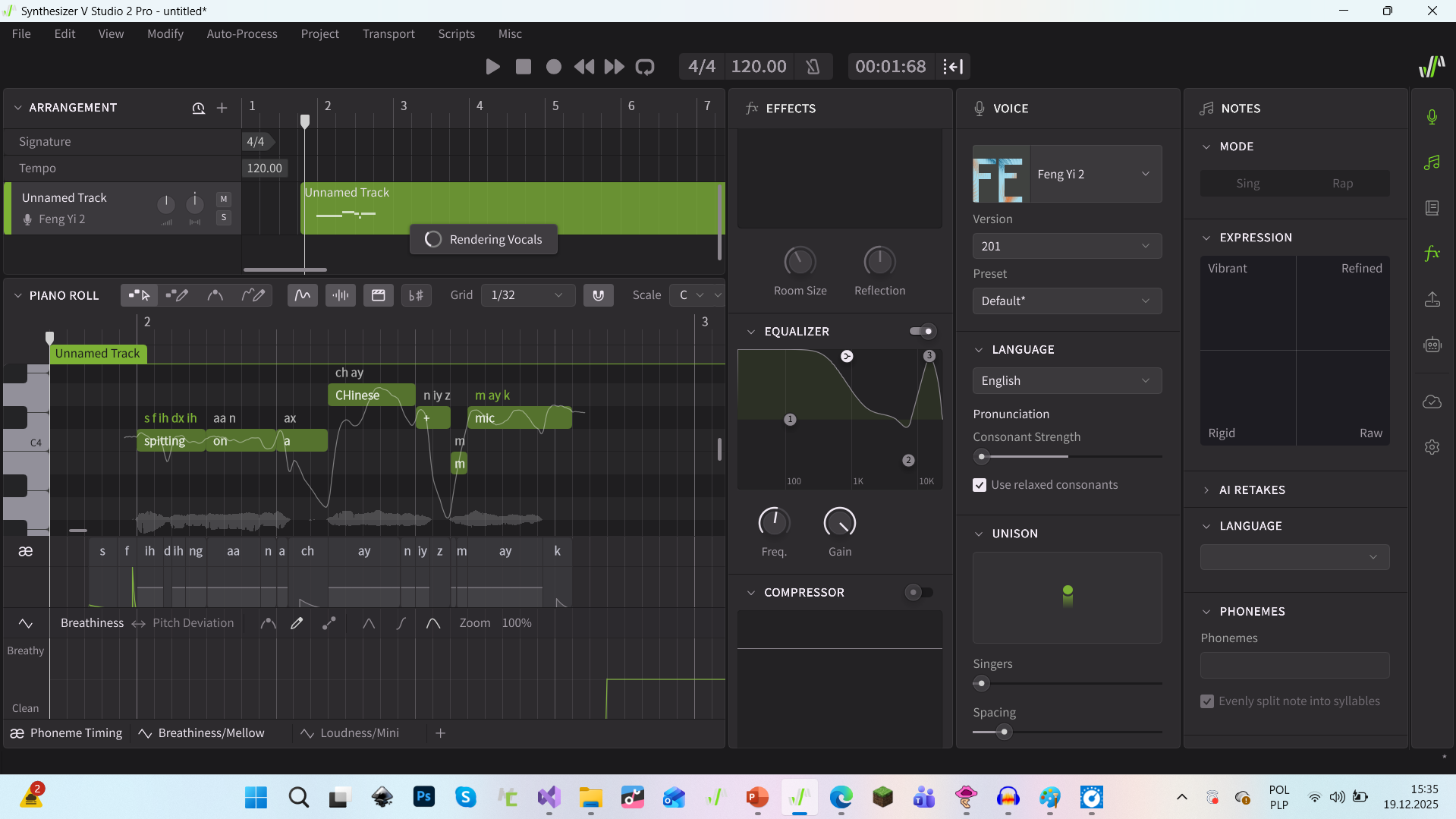
and I made an effect that sounds like you’re spitting on a poor-quality Chinese knockoff microphone you bought cheap on TEMU or AliExpress. I used breathiness, equalizer, and consonant strength.

1 Like

Nice work. Everything working very well so far. Thanks

1 Like

Bring back manual mode.

4 Likes

Yes, same here in Dorico - though only short test today so will report back if any problems after restarting tomorrow. Everything crossed!

3 Likes

Is it just me, but Edit/Paste between tracks within a project has stopped working in Cubase 15 Pro ARA Bridge mode?

Alt+ Dragging notes works, but that’s no help if I want to copy notes between groups on different tracks.

Let me know if anyone can replicate this and I’ll put a bug report in …

[Edit] I have confirmed in tests that Copy / Paste is completely broken, not just between tracks. Reported as a bug and rolled back to 2.1.2 [/Edit]

Final tweaks are impossible as-is. I can get CLOSE, but the last 2% needs direct, hands-on access to sound natural (“Sincerity,. Kid, when you can fake that, you’ve got it made.” - every “Star is Born” movie ever)

I wind up exporting to a couple different apps, depending on the issue. Half the time, it’s better.
Manual Mode is a PITA, but a useful PITA.

1 Like

But have you fixed the issue of re-rendering which causes playback to stutter every time you edit a note?

1 Like

I have downloaded this version, and I am well impressed with the new set up to create a choir like and sample. It is something I have been interested for quite a while. It offers great possibilities to be able to simulate a group of singers singing all perfect harmonies, we were a little effort. Will be looking forward to the proper release. Thank you very much.:grinning_face::grinning_face:

Thanks for the “Properly handle clefs with octave changes” fix! That’s going to save me some time. I’m looking forward to checking out some of the other fixes/enhancements.

Tom Kearney

2 Likes

The new features were simply too tempting, and I didn’t want to wait any longer. I just installed the latest beta and I’m thrilled. So far, it’s running smoothly in ARA mode on my Mac.

Split unison into tracks kills existing routing

  1. Running in ARA mode
  2. Four tracks
  3. Plugin Channel Layout: Track Combined. Means for each track one output.
  4. Set first track “UNISON” to 3 singers.
  5. Split unison into tracks.
  6. Problem, the new 3 singers are now routed to the already existing other 3 outputs.
    And the existing are not working anymore.

Any ideas? Unfortunately, the only way to set the routing is in the preferences.

  • Master Combined
  • Master Aspiration Isolated
  • Track Combined
  • Track Aspiration Isolated

Nuendo 14 on Mac M4. I’ve already sent it to support. But maybe someone here has an idea.

And perhaps to clarify: this is also the case with Cubase. You can assign outputs to each VST instrument. But “Split Unison into Tracks” throws the routing into disarray.

Workaround, but not really a solution.
VST-Instrument Synth V expanded with 3 additional outputs

  1. Setting to Master Combined
  2. Split unison into tracks
  3. Setting to Track Combined

Now everything is distributed across the outputs. But stubbornly from top to bottom. The three existing tracks have simply been moved further along. I now have to transfer the channel settings manually.
It would be nice to have more flexibility in the assignment here, as I am used to with other VST instruments.

Update

Has nothing to do with Split Unison into Tracks. It also happens when I just duplicate a track. This is really a mess when you have chosen “Track Combined”. The duplicate takes over the next channel.

1 Like

Dear users,

We are excited to announce the 3rd beta for the upcoming version 2.2.0 of Synthesizer V Studio 2 Pro, one of the most significant updates to the software since the launch of version 2.

Download Links

Windows: https://drive.google.com/file/d/1gMYikN0qnOAmIt9-v4iTVMXAmGAMpSjZ/view?usp=sharing

macOS: https://drive.google.com/file/d/1PRGsJvsGgwgTNtmOX1kw1tBEVa6dVFv0/view?usp=sharing

About This Beta

Version 2.2.0 focuses on providing users with easy-to-use tools for creating complex and nuanced vocal arrangements, including harmonies, doubling, and layered vocal textures.

Since the previous two beta versions, we have worked on improving the stability and incorporated a few user-requested features. Notable changes include:

Improved MusicXML support

The MusicXML import dialog now includes an option to remove all the punctuations from the lyrics, maintaining pronunciation consistency when a dictionary is applied.

We have also improved the handling of octave changes and tied notes.

Split Unison into Tracks

A new command is added to the right-click menu of a track that takes apart a track containing doubled voices and creates a number of new tracks with smaller sized (or solo) groups. It automatically sets the gain and singer positioning for the new tracks to maintain the volume and texture.

Global Control for Consonant Strength

Noticing that choral vocals often feature less pronounced consonants, we have added a slider to Voice Panel that modules the strength of all unvoiced consonants in the group.

In addition, an optional low shelf section is added to the EQ, which can be helpful for cleaning up plosive sounds.

Terminology Change

We have changed the naming for “Voice Doubling” into “Unison”, reflecting the underlying mechanism powered by (internal) AI retakes, as opposed to an audio effect applied during post-processing.

Reporting Issues

Please submit bug reports through our support form. Please specify version “2.2.0b3” in your ticket:

https://dreamtonics.zendesk.com/hc/en-us/requests/new?ticket_form_id=44558189476505

While we welcome feedback on the forum, we may not be able to address the replies promptly. It’s also difficult to request necessary details (e.g. project files) for bug reproduction in a public forum. Therefore, we kindly request that you report issues via the support ticket system.


Synthesizer V Studio 2 Pro 2.2.0b3 (Dec 19th, 2025)

New Features

  • Added a command to the right click menu of a track for splitting a unison into smaller groups or individual voices.
  • Added a slider to Voice panel that modules the strength of all unvoiced consonants in the group.
  • Added a low shelf filter to the EQ.

Behavior Changes

  • Renamed “Voice Doubling” to “Unison”.

Feature Enhancements

  • Improved MusicXML support:
    • Properly handle clefs with octave changes;
    • Removed redundant note splits for tied notes;
    • Added an option to remove all punctuations from the lyrics during MusicXML import.

Bug Fixes

  • Fixed several feature regressions introduced in 2.2.0b2:
    • Crashes during exit or plugin scanning;
    • The vocal mode sliders can no longer be edited by double clicking and typing in the value.
  • Fixed “Bypass gain and panning” option not applied to instrumental tracks during bouncing.
  • Fixed incorrect panning of voices inside a unison when a track contains two closely located groups.
  • Fixed the incorrect decimal padding in the project time counter when the last two digits are below 0.1 secs.
  • Fixed crashes when duplicating a track whose name starts with “+”.
  • Fixed group muting not working in ARA synced tracks.
  • Fixed failure to redo Voice-to-MIDI conversion after undoing the operation.
  • Fixed zoom ratio displayed in the parameter panel not updating when switching between Pitch Deviation, Loudness and Vibrato Envelope parameters.
  • Fixed missing Vocal Mode options when the group has a version of the voice that is not installed on the current device.
  • Fixed noises at the beginning of bounced tracks when using the plugin versions.
  • Fixed mixer parameters not properly initialized in the first few hundred milliseconds of a project during playback.
  • Fixed inability to open an SVP file by double clicking when the standalone is already running on macOS.
  • Fixed wrong opacity of the waveform when a group contains muted notes.
  • Fixed an edge case where a note can be created outside a group.
  • Fixed onboarding screen not loading when the standalone and AAX-ARA plugin are simultaneously open on Windows.
  • Fixed ARA plugin crashes when changing the tempo in Cubase under specific conditions.
  • Fixed ARA plugin crashes when deleting the time selection in Cubase.
  • Fixed dialogs centered on the wrong monitor when using the plugin on a multi-monitor setup.
  • Fixed right-click menus showing at the wrong position when using the plugin on a multi-monitor setup on Windows where each of the monitors has a different scaling factor.

I applaud Dreamtonics’ efforts to help users more easily adjust voices for choral singing.

While I believe they are moving in the right direction by making adjustments to the consonants, I think they should look at a different adjustment to both voiced and unvoiced consonants.

I have learned a few things in my efforts to create a men’s chorus.

Synth V voices sing in a “pop” style by default, which is not conductive to choral singing.

There were 2 things that I manually adjusted to help my voices sing more in a choral fashion.

1. I manually shortened the length of all of the consonants. Good choral singing requires long vowels and short, clear consonants. Though it was time consuming to adjust the length of each consonant, the results were quite satisfying. However, I had to be careful not shorten plosive consonants too much or I lost the clarity of “k”, “t”, “p”, etc.

2. Choral singers usually start a phrase or syllable singing exactly on the written pitch. “Pop” style singers do not begin a phrase or syllable exactly on the written pitch. They usually start on a pitch below the written pitch and quickly slide up to the written pitch. I was able to correct this by placing a control point exactly on the written pitch at the very beginning of the note where the singer slid into the pitch.

These 2 things allowed me to create a fairly realistic sounding choir.
The new voice doubling/unison feature also helped.

My hope is that Dreamtonics would create some kind of control that would allow global adjustments of the consonant length and starting pitch accuracy without removing all of the other minor pitch variations that make a voice sound real.

It would also be helpful to have more voices available that had a vocal mode option of a classical/operatic sound.