Note: version 2.2.0b3 is now available in this post.
Dear users,
We are excited to announce the beta for the upcoming version 2.2.0 of Synthesizer V Studio 2 Pro, one of the most significant updates to the software since the launch of version 2.
Update: version 2.2.0b2 has been uploaded by Nov 28th. For the list of changes since b1, please see detailed logs in the bottom of this post.
Download Links (updated)
2.2.0b2
Windows: https://drive.google.com/file/d/1eKzR3RW1_E79imjlfn-W6b50dUKXaZy7/view?usp=sharing
macOS: https://drive.google.com/file/d/1yKBhBihkpNtlPICFxWsOVJxwsXgpnK2U/view?usp=sharing
2.2.0b1 (Previous Beta)
Windows: https://drive.google.com/file/d/1hUmlRU3YqVsxVoMVzoTwwkvQwjaNaVw4/view?usp=sharing
macOS: https://drive.google.com/file/d/1XjPEhWGIaSU1gCEsAUoZa6Wa1trEdGkS/view?usp=sharing
About This Beta
Version 2.2.0b1 focuses on providing users with easy-to-use tools for creating complex and nuanced vocal arrangements, including harmonies, doubling, and layered vocal textures.
Voice Doubling
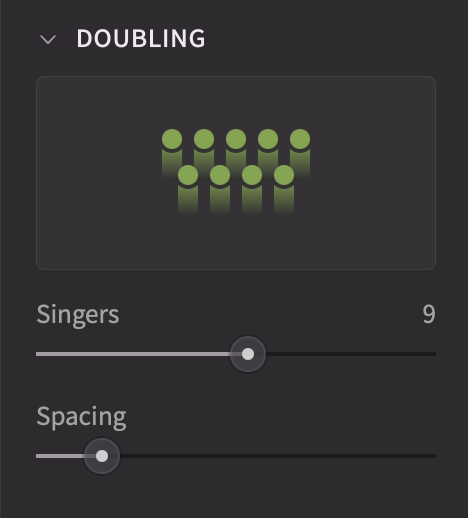
The new Doubling section within the Voice panel allows for the creation of up to 16 layers from a single voice. This functionality streamlines the process of achieving a choir-like effect, previously requiring manual duplication and retake application.
The “Spacing” parameter provides precise control over stereo separation between doubled voices, saving the need to manually pan each track to achieve a sense of spatial presence.
Effects Panel
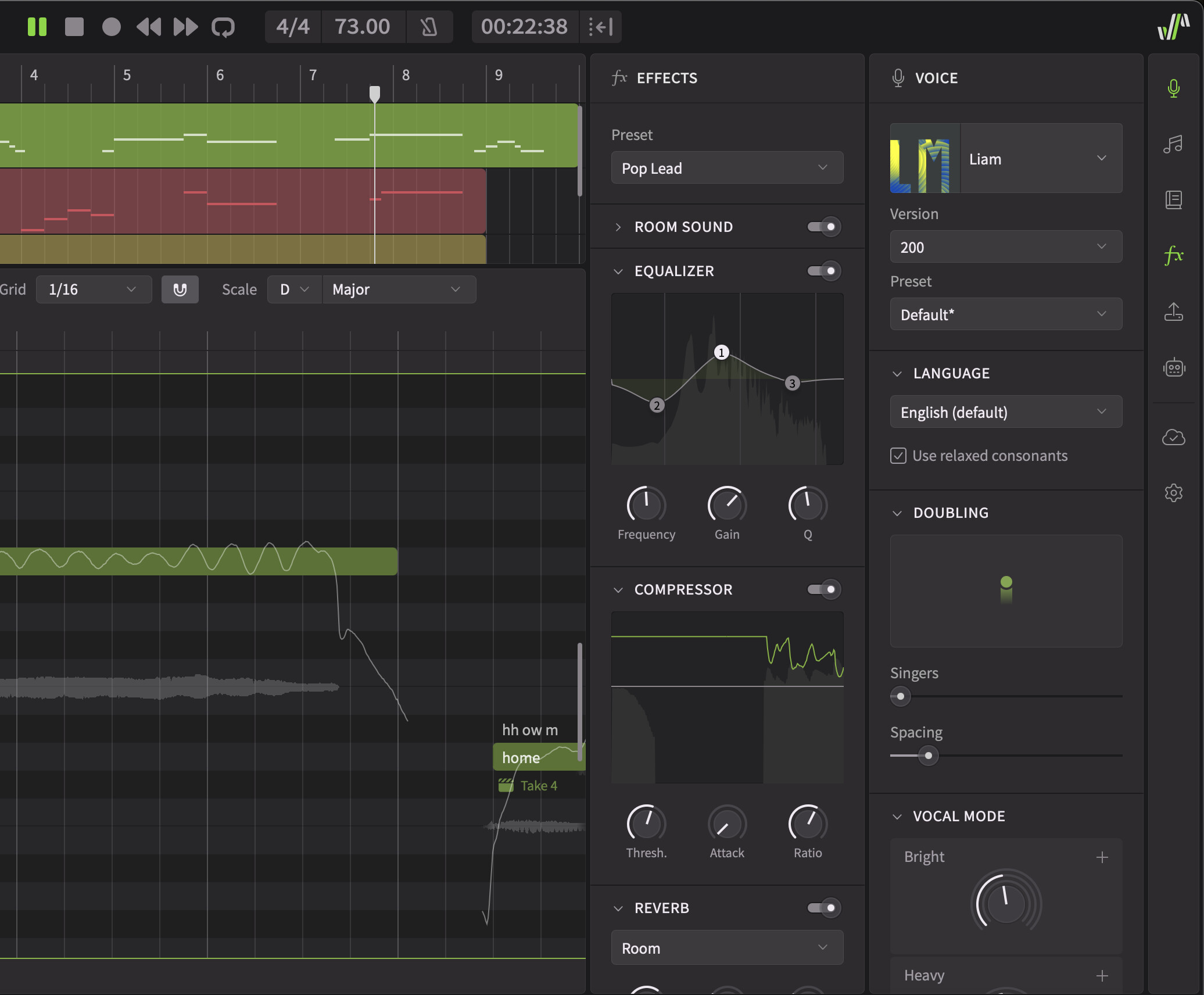
Synthesizer V Studio Pro 2.2.0 introduces an integrated Effects panel featuring a streamlined vocal effect chain. This chain follows a standard order of EQ, compression, and reverb, providing basic mixing capabilities directly within the software.
The Effects Panel is primarily intended for previewing vocal sounds and applying quick, preset-based effects – particularly useful in pre-production stages or for users who do not require a full DAW environment.
Room Sound Simulation
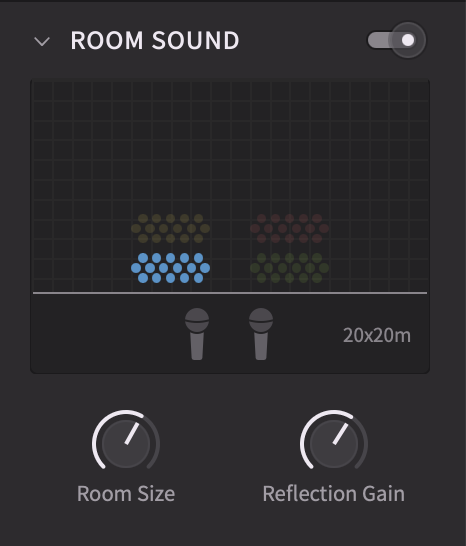
Integrated within the Effects Panel, the Room Sound simulator offers a nuanced approach to panning and spatial positioning. Reflection of sound waves by the walls are modeled to create a natural stereo delay effect, enhancing the reverb characteristics and adding a sense of space to vocal performances. This feature is particularly well-suited for creating realistic multi-part choirs and achieving a warm, spacious texture.
Musical Scales
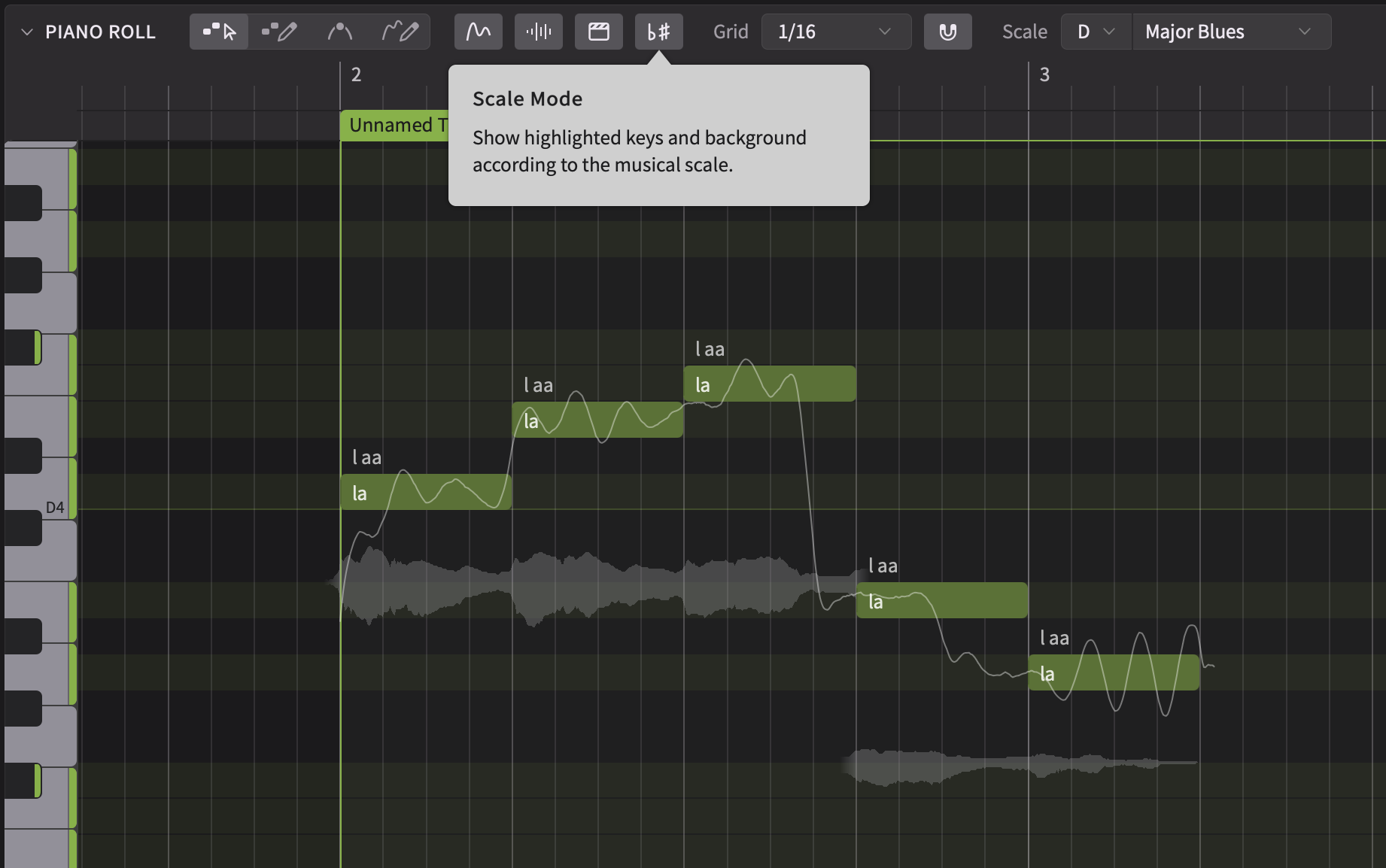
The piano roll now supports musical scale visualization. Users can set the root note and pattern via the tool bar, toggling Scale Mode to highlight notes within the selected scale on the keys and background. This feature provides a visual aid for composing and arranging within a specific harmonic context.
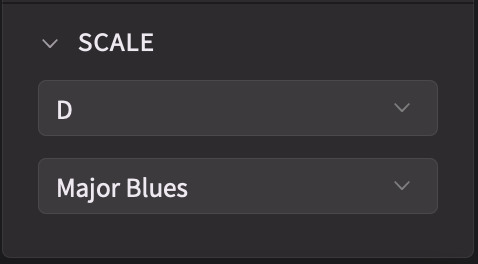
Musical scale settings can be applied to individual groups. To apply the same settings to multiple groups, simply select all desired groups and adjust the Scale settings within the Voice panel.
MusicXML Support
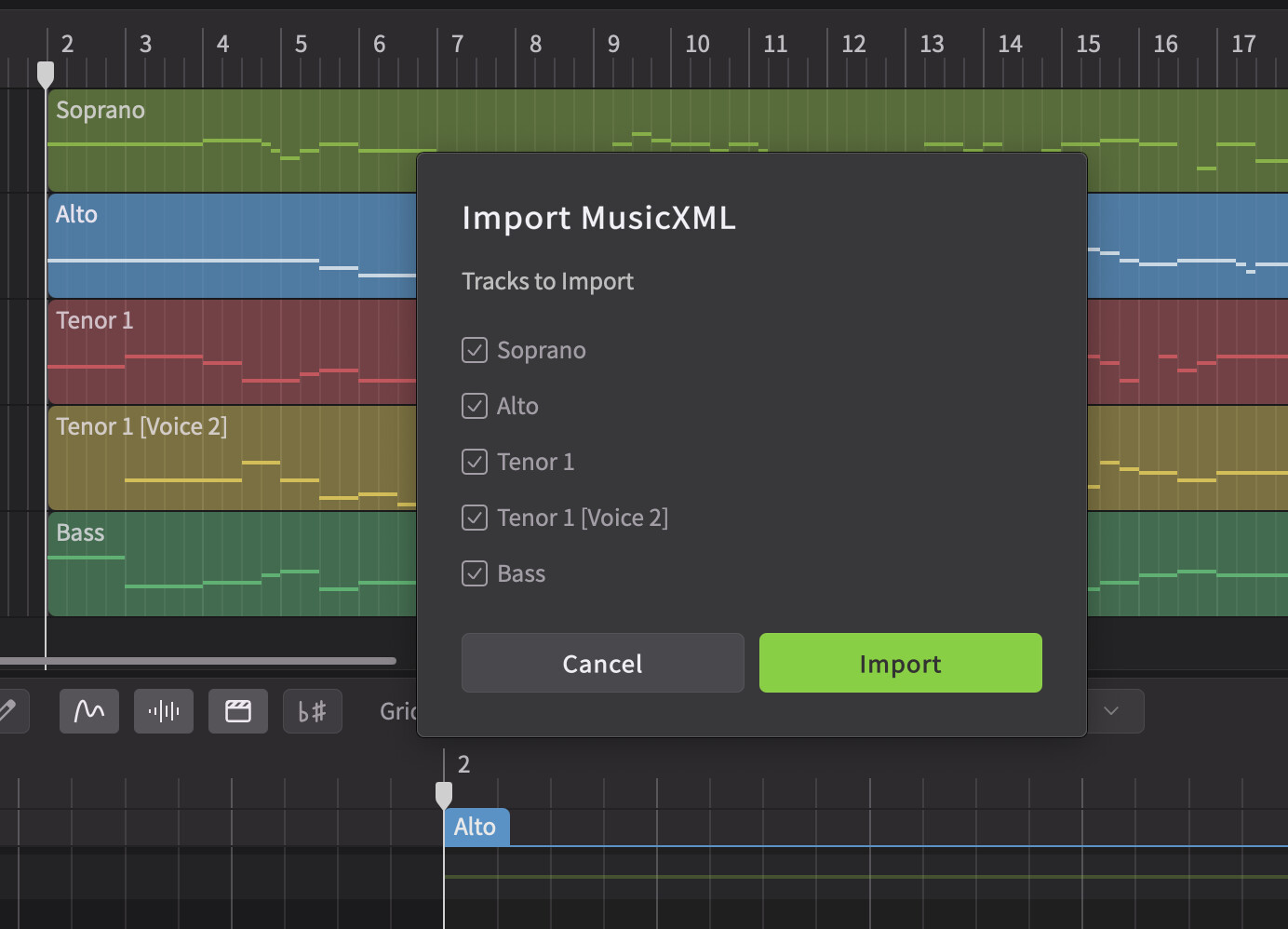
Synthesizer V Studio 2 Pro now supports importing MusicXML files, allowing users to easily transfer existing musical arrangements into our editor. This functionality includes support for lyric data and conversion into Synthesizer V’s notation for slurs and syllable continuation.
Render Cache
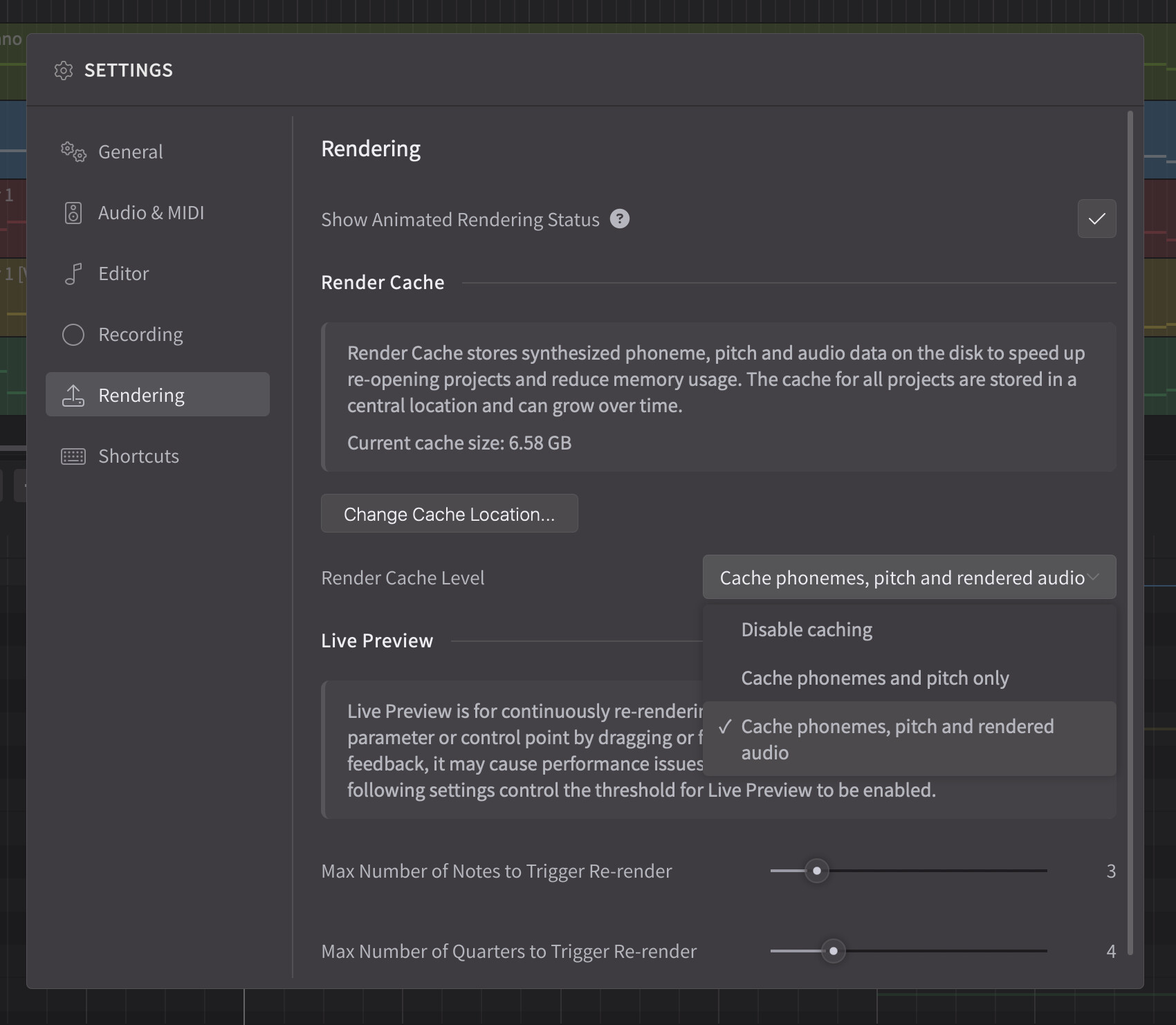
Version 2.2.0 introduces a Render Cache to significantly improve project loading times and reduce memory usage. This system stores synthesized phoneme, pitch, and audio data on disk, eliminating the need to re-render these elements upon reopening a project.
To ensure optimal performance, the cache is automatically managed. Users can monitor the current cache size within the Rendering settings.
Note: Projects must be saved before closing to validate the cached data.
Improved Rendering Progress Display
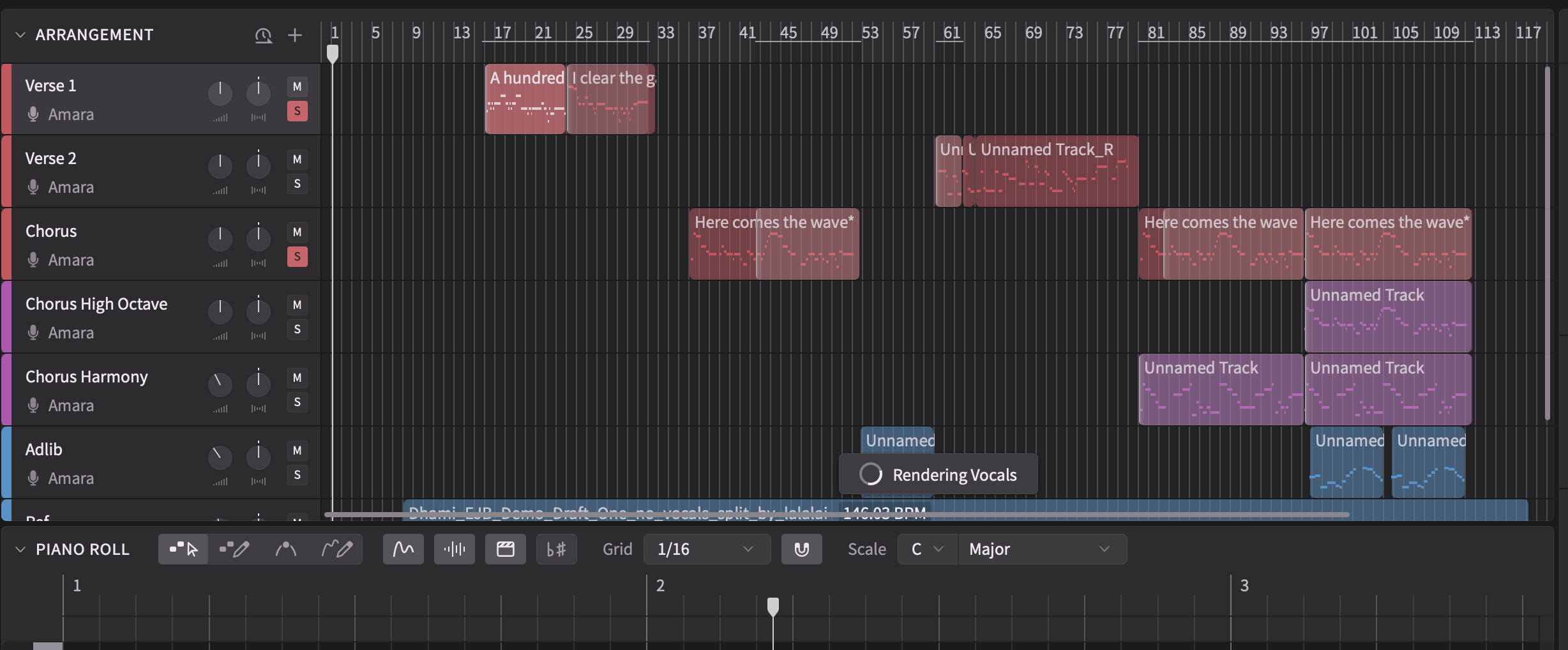
The rendering progress is now displayed in the Arrangement view and along the timeline, providing clear feedback on the status of each group. This allows users to easily monitor progress and identify sections ready for playback.
Reporting Issues
Please submit bug reports through our support form. Please specify version “2.2.0b2” in your ticket:
https://dreamtonics.zendesk.com/hc/en-us/requests/new?ticket_form_id=44558189476505
While we welcome feedback on the forum, we may not be able to address the replies promptly. It’s also difficult to request necessary details (e.g. project files) for bug reproduction in a public forum. Therefore, we kindly request that you report issues via the support ticket system.
Synthesizer V Studio 2 Pro 2.2.0
New Features
- Added voice doubling: specify the number of voices and spacing between voices in the Voice panel under “Doubling”.
- Added Effects panel and an effect chain (spatialization, equalization, compression, reverberation) to each track.
- Added musical scale settings to note groups:
- Turn on scale visualization in the piano roll to see key and background highlighting based on the selected musical scale.
- Alternatively, set the scale in the Voice panel for all selected groups.
- Added project import support for MusicXML formats (.mxl, .xml, .musicxml).
- Added render cache for reducing the memory footprint and avoiding re-renders when opening a saved project.
- Note: projects need to be re-saved to enable caching.
- Added options to Render panel for bypassing tracks’ gain/pan and effects during bouncing.
Behavior Changes
- Rearranged file menu options related to importing projects and instrumentals.
Feature Enhancements
- Replaced the existing rendering progress visualization in the piano roll with a more info-rich display in the time axis and arrangement.
- Increased the hit area for dragging and resizing operations on notes, groups and phoneme boundaries.
Bug Fixes
- Fixed crashes when changing the tempo when using the ARA plugin in certain DAWs.
- Fixed the plugin not reporting changes to the DAW when the externally saved project’s path has changed.
- Fixed some rare cases of logging out despite an offline license being enabled under an intermittent internet connection.
- Fixed changes to the settings not being saved when multiple instances of Synthesizer V Studio (e.g. both plugins and the standalone) are running at the same time.
- Fixed the irregular order of note focus when shifting through selected notes with space/tab key while the lyrics editor is open.
- Fixed the value display overlapping with the textbox when editing the value of a slider.
Synthesizer V Studio 2 Pro 2.2.0b2 (Nov 28th, 2025)
Note: this version switches the database backend to LMDB for better stability. As a result, all render results cached by the previous beta version will be discarded.
Feature Enhancements
- Refined the UI for Effects panel.
- Added an option to link room size and reflection parameters across all tracks.
Bug Fixes
- Fixed performance degradation when Room Sound simulation is enabled on Intel processors.
- Fixed random crashes when moving a group to another track.
- Fixed freezes when opening the same project in both standalone and plugins.
- Fixed Voice-to-MIDI conversion results getting lost after undoing and then redoing the change in the standalone and instrument plugin.
 They should bring it back.