Installation question: can the beta be installed concurrently with the 2.1.2 release or does it replace it?
It will replace your existing installation, so make sure to copy your 2.1.2 installation file somewhere safe in case you want to roll back for any reason 
1 Like
Beta release Bridge not working in Cubase Pro 15 on Windows 11…
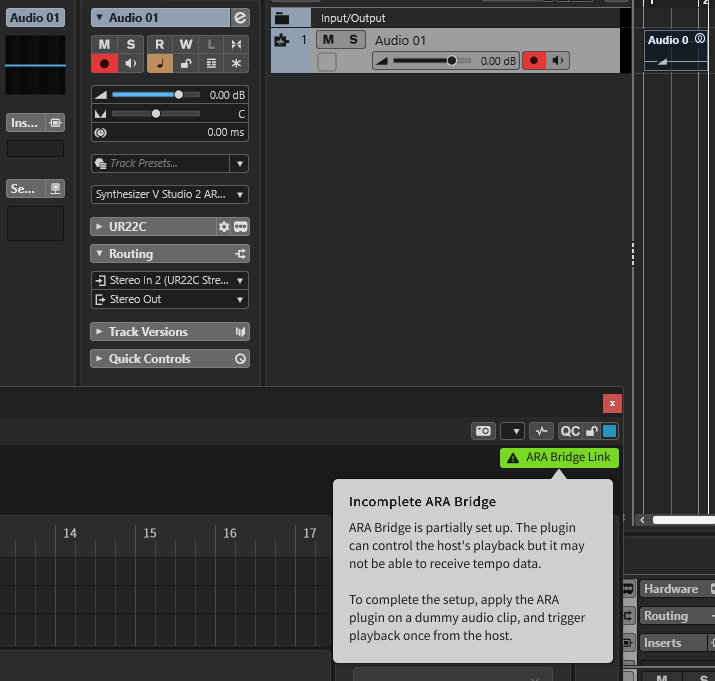
Now, as you know Steinberg is now part of Yamaha and they have Vocaloid - is this deliberate on their part or does Dreamtonics need to fix something they’ve broken whilst adding stuff to the Beta ???
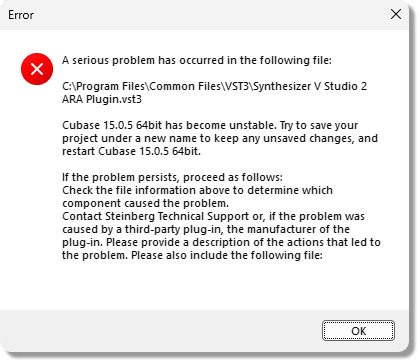
The above is the same message I get in Cubase Pro 14 - which previously had no issues !
DREAMTONICS has broken something in their build …
I will now try to reinstall the previous bridge and keep the beta main program to see if that’s viable …
====================================================
NO MORE THAN 3 CONSECUTIVE REPLIES ARE ALLOWED !
====================================================
I can report that using the previous bridge with the beta works !
We will have to wait for DREAMTONICS (@Dreamtonics) to fix this …
====================================================
Here is the Beta 2.2.0 in Cubase Pro 15 using the Vocal doubling and a tempo track …
2 Likes
Thanks, I’ve managed to download it now. It didn’t wamt to play ball initially!
1 Like
Lots of Cubase users here apparently.
Studio One v5 (yea not really up-to-date lol) is crashing on shutdown after an instance of SynV v2.2.0 beta 2 has been used.
Very similar to Cantabile and PluginBuddy, again exception error 0xc0000409
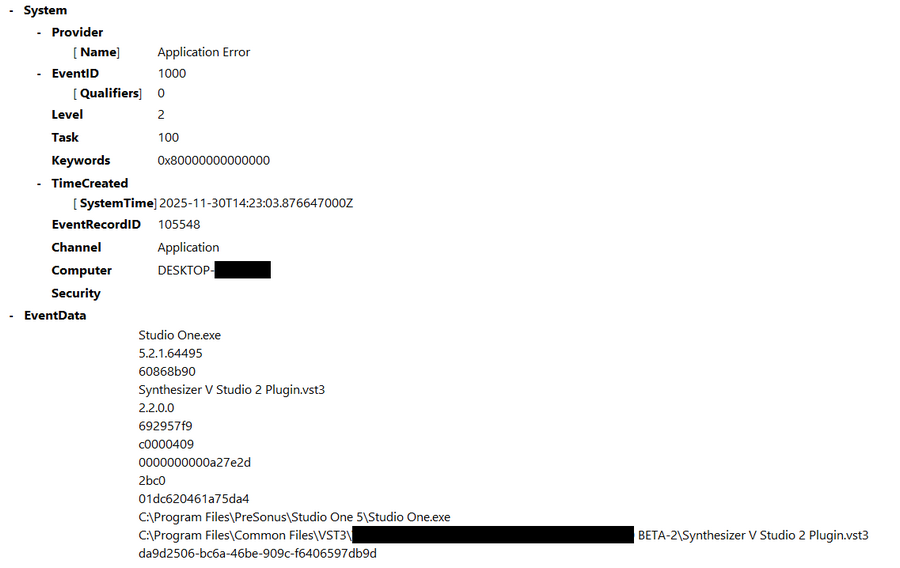
This is with the regular SynV vst3 version, didn’t test with ARA yet.
I ain’t sure how problematic it really is. But I guess it’s not a good thing as it might affect stuff like the saved SynV plugin state, potentially causing issues when reloading projects and such.
Additionally, after updating SynV to beta2 I had Bitwig Studio’s (latest version) internal sandbox-pluginhost crashing when loading a project that contained a SynV instance (originally saved with v2.1.2 of course).
The .gif below shows the beta 2 standalone crashing on exit:
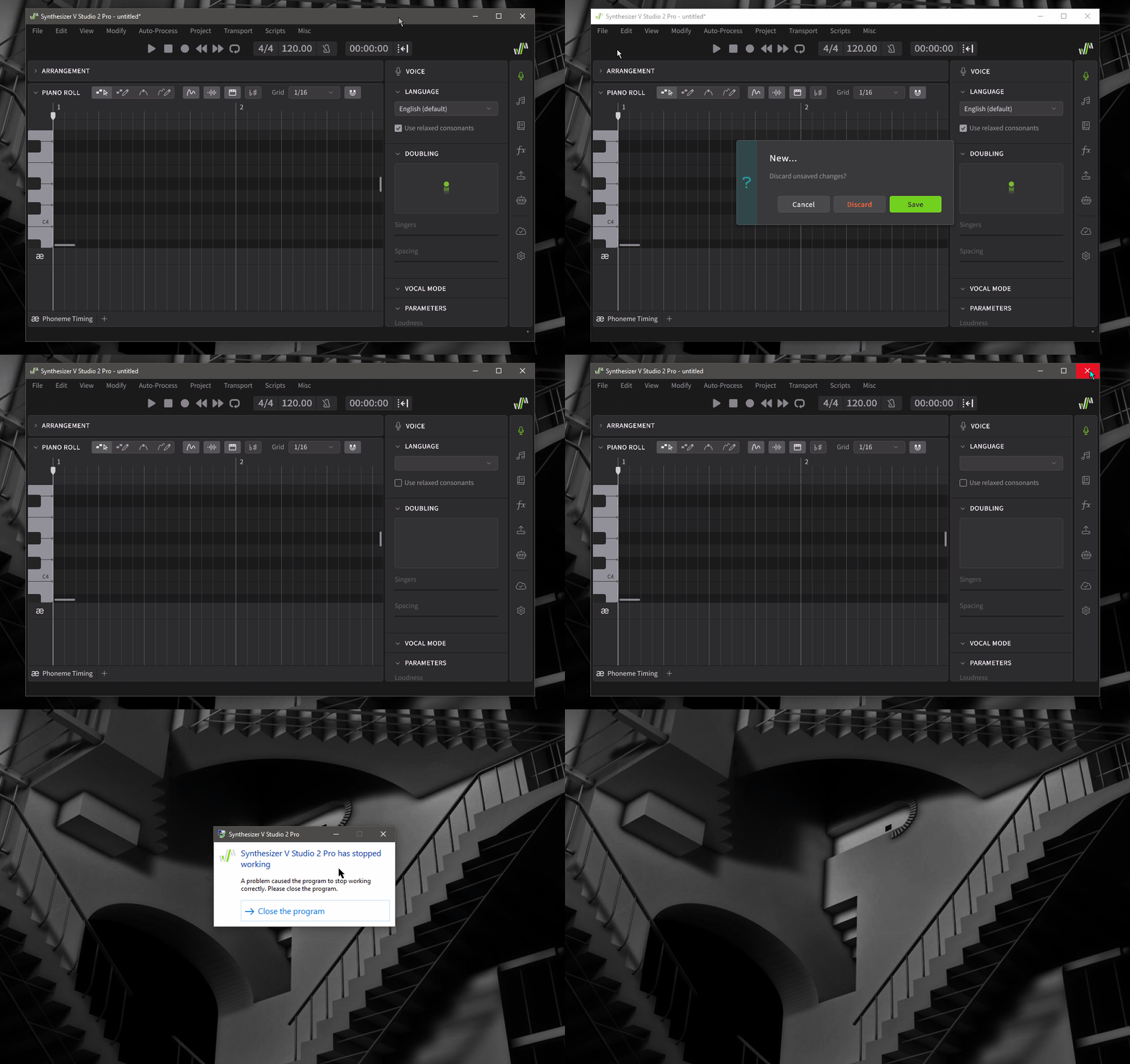
It is happening as soon as a Voice has been loaded, and saving the project or not doesn’t matter.
As long as no Voice is loaded you can put in notes or whatever, that doesn’t make it crash on exit. After a Voice was loaded it’s crashing every time on exit. Again seems as if the (Voice) cache doesn’t clean up properly, triggering the crashes.
This is what Windows EventViewer says:
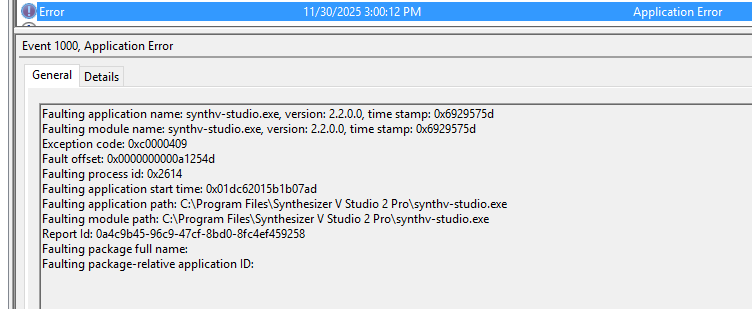
Guess I gotta submit a ticket, don’t know if the posts here reach the Dreamtonics folks (?)
EDIT Dec, 2nd:
Cockos Reaper latest version 7.55 is also crashing on exit after using the SynV beta 2, exactly like Studio One v5 and other hosts:
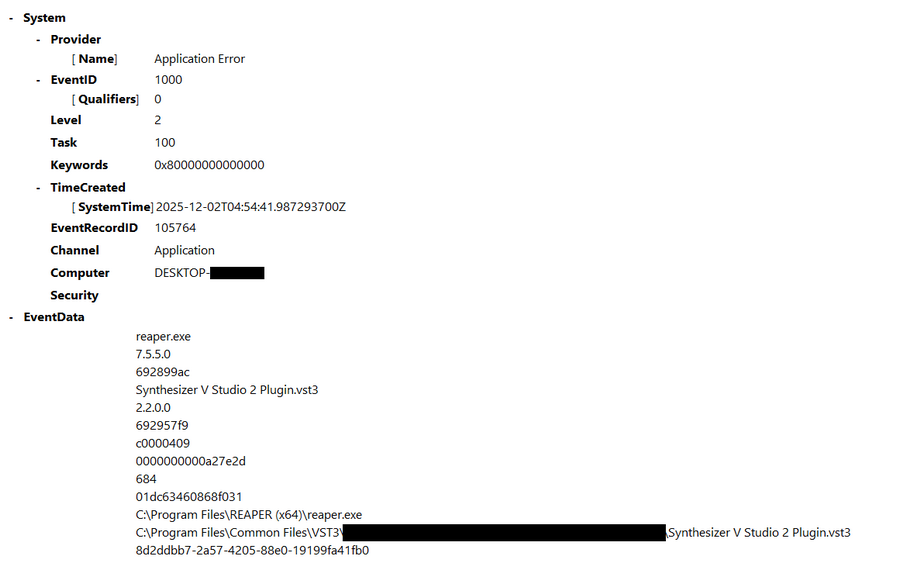
Am going to wait for beta 3 and see if it’s getting any better.
I almost wish Dreamtonics would focus on the implementation of the new features with this update, and roll back the “optimized” Render Cache part (if technically possible).
They still could work on performance improvements once a stable version including the new features is out.
Bring back manual mode.
2 Likes
This is neat. I feel like the doubling feature could also use a pitch variability parameter because it sounds a bit eerie that they all have basically identical pitch, even when the timing is different.
Further, the ability to maybe adjust the curvature of the choir by scrolling over it or something would be neat.
4 Likes
Since which version has playback become almost useless until the rendering has finished? This never used to happen. Now as soon as I change a single note, the whole lot is re-rendered and playback halts, stutters and is unusable. I’ll be rolling back. This is dreadful.
I believe that the reason why it takes so long to drop a full release is likely due to French language support coming soon.
Personally I don’t really think v2.2.0 has a lot to do with French language support. But apparently you did way more research on this than me, frankly I don’t know.
I just think there’s already quite a lot to implement (and getting it right) for them in terms of new features with this update anyway. And it’s not even the new features only, more importantly there are obviously fundamental things not working correctly, like the reported problems with ARA Bridge and software crashes (on exit) allover the place.
So to be honest, at this point I think there are far more urgent and essential things to work on, rather than support for a different language.
1 Like
I wish you would add an easier transpose notes with arrow keys or pg up and down.
1 Like
Yes !
In the meantime, it is possible to compensate using some scripts. Assign the shortcuts you need and you’ll then forget about those missing keyboard actions.
Here are some of mine: svstudio-scripts · SynthV Studio scripts by Aviles JF
2 Likes
Thank you for your nice scripts jfa. I loaded ShiftNotesDown and Up into the script folder. I should mention that I’m using the latest beta version. That might have something to do with it. In any case, I get the following error message.
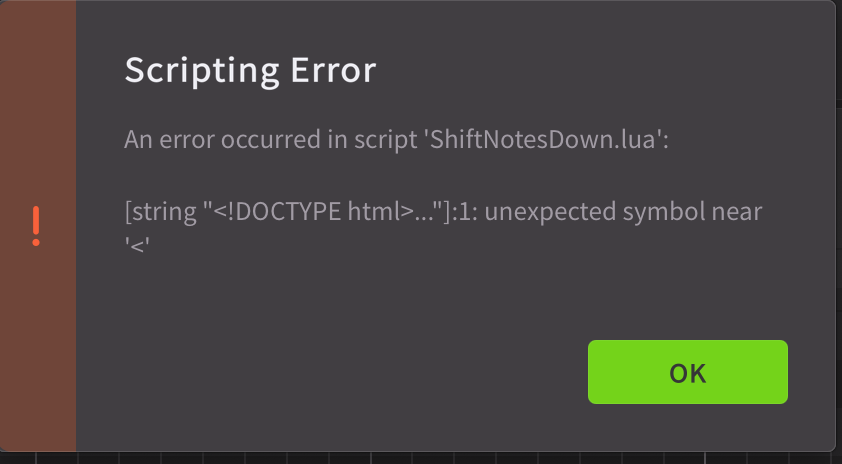
But it still works. ShiftNotesUp also works for shift down. So the question why both?
Next question, is it supposed to be that you can’t transpose a single note, but only the group?
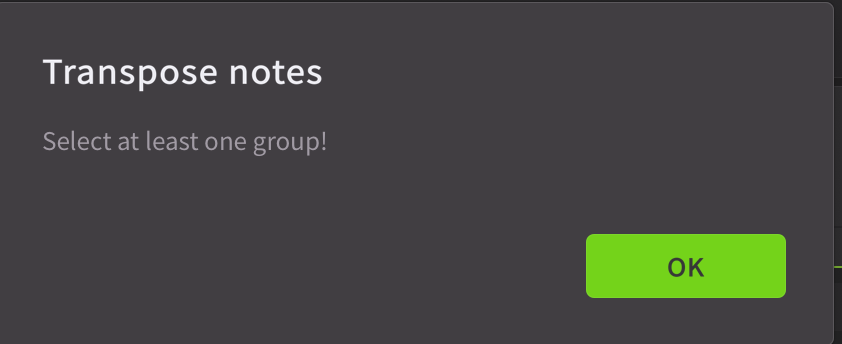
Because you can do this via the Modify/Transpose menu.
The file “Shift notes down V1.0” contains no HTML elements. Therefore, I don’t see how this error could have occurred. Did you open this Lua file in Notepad to check the header? The first line is: “local SCRIPT_TITLE = ‘Shift notes down V1.0’” of example. It’s also possible that there are two files with the same script name, one of which contains incorrect content.
It still works! That’s another problem, because usually, if only one problem is reported, the script doesn’t work at all. It might be a duplicate file: one is correct, the other was duplicated by mistake.
The TransposePanel script automates the transposition of all notes in one or more selected groups, or the entire track. That’s its primary function.
To transpose a single note or selected notes, I use the shitNotes scripts with associated keyboard shortcuts.
1 Like
Hi jfa and thanks for your answer. I didn’t mention it, but I tested it. Both individually generate this error message.
Script see screenshot

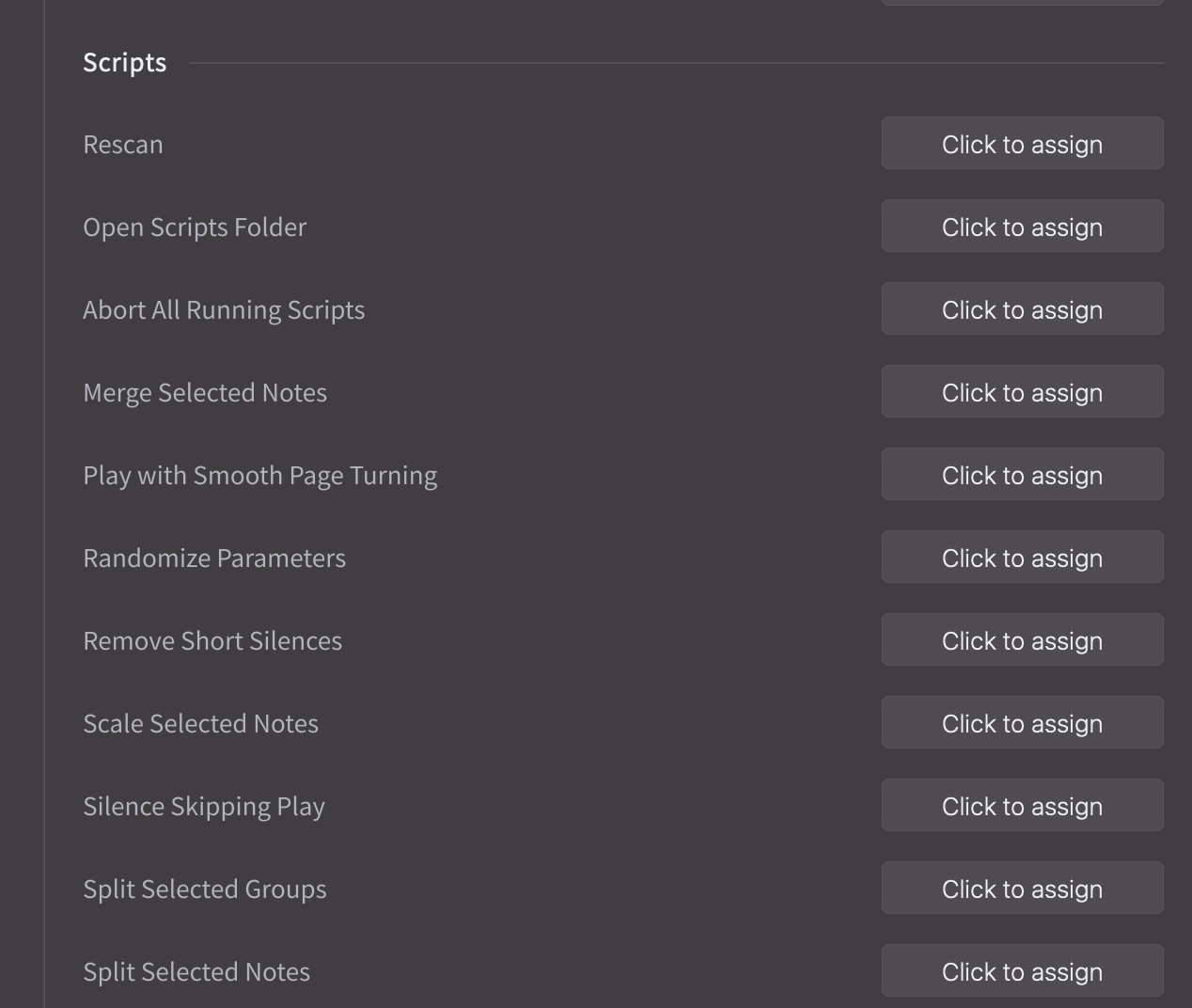
Sorry don’t understand this. Associated keyboard shortcut to find/select where please? And yes, my first time, I try to use scripts 
P.S. That’s how it shows up for me
That is not my script, because mine begin with this:
Blockquote
local SCRIPT_TITLE = ‘Shift notes down V1.0’
–[[
Synthesizer V Studio Pro Script
lua file name: ShiftNotesDown.lua
This script will move pitch notes down
on selected notes.
If no notes selected piano-roll scroll down
Set shortcut to Cursor Down
…