I wrote in but got no reply. Is there an upgrade price from v1 to v2? If so, can you tell me where to find it?
Have you looked at Dreamtonics Store?
V1 to V2 upgrade is the third item on there, currently at €37,81. Tax excluded
I have an issue with the pitch being way-off in V2. As mentioned in this link:
This problem really made V2 unusable for me now. Please investigate and fix it.
Thank you very much. I was lost.
@Dreamtonics maybe this will be helpful. I have 2 configurations:
-
ASUS Zenbook
Windows 10 Home
OS Build: 19045.5608
CPU: Intel(R) Core™ i7-7700HQ CPU @ 2.80GHz 2.81 GHz
RAM: 16GB -
Lenovo Legion
Windows 10 Home
OS Build: 19045.5487
CPU: AMD Ryzen 7 4800H with Radeon Graphics 2.90 GHz
RAM: 32GB
But there is also another difference.
- ASUS Zenbook - has integrated Intel HD Graphics 630 + NVIDIA GeForce GTX 1050 Ti
- Lenovo Legion - has integrated Radeon Graphics + NVIDIA GeForce GTX 1650
So on the first computer when I set Windows settings to Ableton and Synthesizer (maybe Ableton is just enough I don’t know) to use a high performance graphics processor, the situation improved. Ableton’s responsiveness is much more better (in Windows task manager I can see GPU 1 - Copy instead of GPU 0 - 3D, I don’t know how it is relevant). However, adding a screen with parameters at the bottom during playback still causes some performance drop (but not so huge as before). It’s better now, I can work with it, but damn… these are just user actions in the UI, which shouldn’t affect the performance drop. Compared to plugins with an interface as rich as EZ Drummer 3, it’s not perfect situation. Especially since vocal rendering works very fast on the same computer. It’s strange so what problems does the interface have with optimization. But I don’t know, maybe this is Ableton’s fault…
1 Like
I purchased the DS upgrade to version 2 before the release.
Now I’ve installed version 2, and it’s just the trial version.
When I click on “Add Product,” I get the message: upgrade required license not found.
Support hasn’t responded for several days.
Have you entered the license code for SynthV1 into your account?
Problems with English (and Spanish) prononunciations:
There are now several banks which have suddenly a noticeable accent, when previously not. It is like picking Japanese or Spanish a bit; like a bug selecting phonemes from X-SAMPA instead of ARPABET. Also some Spanish people are saying that now for example Saros II has English accent, so the other way around. Best noticed with consonants; like having a little little coin on top of your tongue (some would say a potato, but the accent is not That bad …)
This is when creating a new song in V2.0.2 with v2 voicebanks and not tweaking any knob; just with default result coming from notes and words.
Also dictionaries produce some funny results now.
1 Like
Very interesting, thank you for the tip. I have the same problem with Reaper (so that’s definitly not ableton fault) on nearly the same config, and it also works when I select the NVIDIA card for Reaper. The plugin has much less performance issues.
I also had performance issues with the standalone, and this solution also works.
Looks like they fix this issue in the alfa build 250325c (for Windows). I tested and it works on integrated graphic as well. So please test this and cofirm so they can include this in the 2.0.3 
@Dreamtonics thanks! I believe this solved the problem.
The 250325c fixes the performance issue for me too.
yes I have, mistakes myself
Hi all. Installed the Build 250325c for macOS and can now install the voices, :-)! I have macOS High Sierra 10.13.6 intel Core i5. So far so good! it works also in Ableton live, but did just only a few notes. So have to see if it holds. But for now thanks Dreamtonics for solving this problem!
Kind regards and hope for the best!
1 Like
I have a crashing issue. With the new version and voices installed, whenever I import a midi file to work with, the program crashes and shuts down as soon as I assign a voice bank to it. It doesn’t crash if I manually enter midi notes and then assign a voice. I did send the crash report to Dreamtonics.
Gary
Using 2.0.2 alpha build on Windows 11, if I change the tempo the program simply refuses to render, and if I try to close the program it crashes.
Let’s go to check this new Synthesizer V 2.0.3 release now !
2 Likes
2 Bugs with SV 2.0.3 (tests done in standalone):
-
SV crashed when deleting points in pitch. See screenshot below; deleting the 3 points (that are white instead of green).
EDIT: at least the test case in picture fixed with 2.0.4 -
the initial pitch curve in 2.0.3 was hovering wayyy higher than the notes without any reason. [Edit: I could not reproduce this, so I don’t exactly know what steps exactly]
Workaround/fix: Reverting back to 2.0.2 and did the exact same thing without crash or specially high pitch curve.
All notes entered in new project in standalone without importing anything.
System: W11 24H2 26100.3476 AMD Ryzen 9 5900X
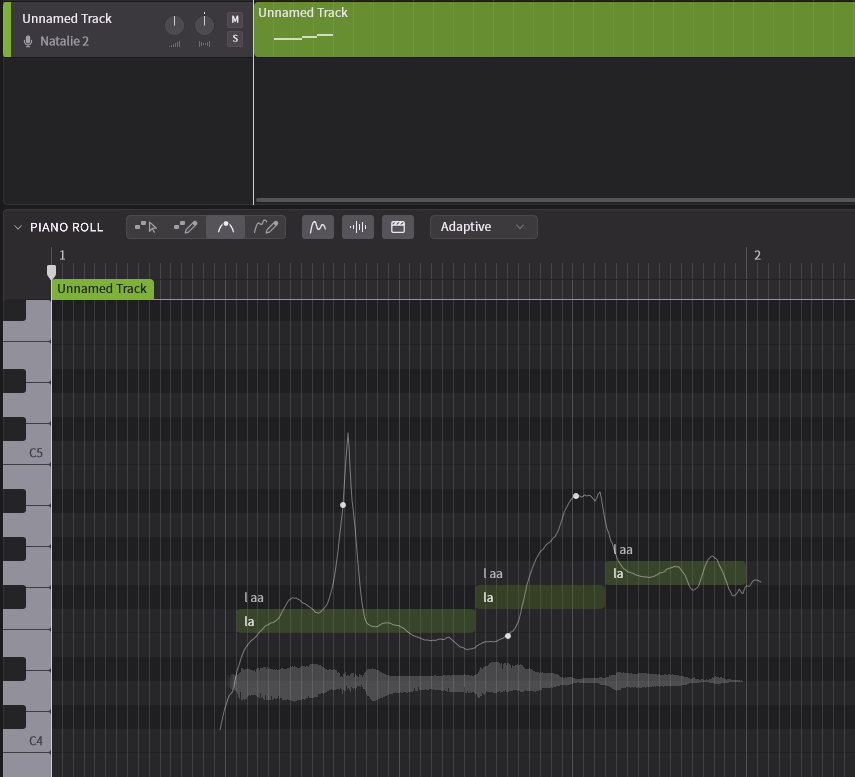
I have the pitch problem as well on both 2.0.2 and 2.0.3. Higher than the correct pitch. But this is not happening on every track. I found it gets worse as you have more tracks. For example, the track 1 pitch is fine while it get worse with track 2, 3, 4…On track 4 the pitch is averagely higher about a semitone…
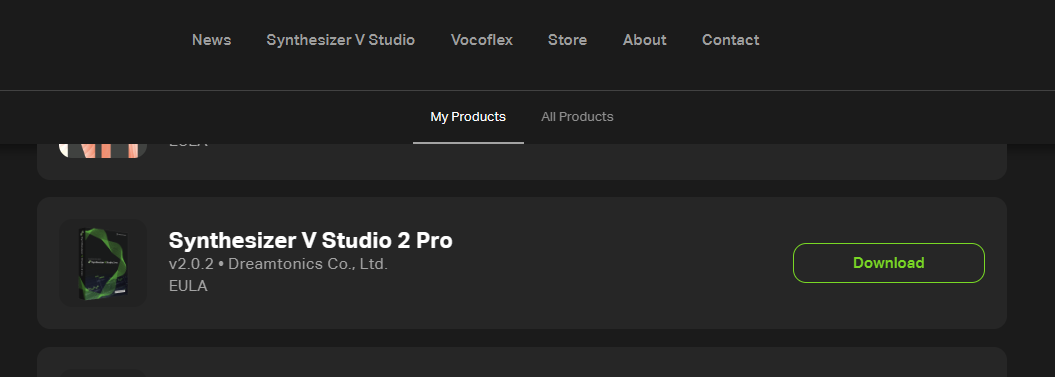
2.0.3 doesn’t seem to be available everywhere yet - or is it? In Germany, I still see 2.0.2 in my account:
The symptom I had was something like at least 5 semitones too high. I could not reproduce this (i.e. not in the picture of my previous post).