The playback issues happen even when Synth V 2 is the only loaded plugin in an otherwise empty project.
I’ve also noticed other functions, such as adjusting voice parameters also lag or freeze when the transport is playing. When the transport is stopped there is no lagging or freezing.
I’ve tried a few other Daws. Cubase and Bitwig were okay. Tracktion Waveform had the same issues as Ableton.
There is no noticeable. lagging or freezing in the Standalone version
I’ve got the same lags and freezes in Reaper. The problem seems to be related with the user interface in the VST version. It works fine if it’s closed, as soon as I open the plugin, there is a freeze at some point (it’s a project with 6 vocal tracks). I reported the bug.
Thanks. That’s interesting to know. I’m actually pleased that they are responding so quickly to the various issues. Of course I’d have been happier if they’d dealt with more of them prelaunch. Perhaps a public beta should have been released first.
In my case it is like this. I create a project in DAW with one track (Synthesizer V as VST). In Synthesizer V, there are no vocals, not even any voice bank selected, everything is empty. I start playback in DAW when Synthesizer V window is open. I click on “+” to add a panel with parameters. The UI slows down noticeably (you can’t move the window from VST, the DAW interface works slower). It doesn’t take long, but I remind you that the project is empty. When the project has more tracks, the problem gets worse.
On a computer that has a bit more resources (see my post earlier), the problem does not occur at all. But looking at other people’s problems, the resources are not the problem. I also tried different interfaces: ASIO or MME/DirectX (Realtek Speakers) but I did not notice the dependency.
Between High Sierra (10.13, the minimal supported version) and Catalina (10.15), users were able to launch the program but unable to open the built-in Product Manager page. This was due to incomplete JavaScript support by older versions of Safari (that shipped with macOS). We have performed a server-side fix to provide backward compatibility with some older browsers. Although you may still need a separate browser (e.g. Chrome) to access the Product Manager page externally, we have confirmed that access from within Synthesizer V Studio 2 Pro is now possible on High Sierra.
The problem still remains. Although it’s now possible to activate a license on macOS High Sierra through the Product Manager, when trying to download voices, the program crashes and exits without having downloaded any voices. This means it’s still impossible to add both V2 and V1 voices.
the VST plugin stopped working for me 5 minutes ago. When I opened the plugin in the running project, it suddenly showed me the welcome dialog that tells me to login. When I click the link, a webbrowser page is opening (doesn’t ask me for credentials) and sometimes does nothing or it closes itself shortly after. Whatever it does, the plugin does not seem to realize it’s done, because the dialog won’t disappear - hence I can’t work anymore.
Hi I can now open Synthesizer V Studio 2. It shows now welocme message and can open the cloud icon for my Products. Can selecting now voice, downloading it only when it installing it, it crashed. Unfortunately still not working. But looks they are trying there best, thanks Dreamtonics! Hope it will work soon!
That’s exactly what’s happening to me. Let’s wait for an update that finally fixes the problems. We have to trust Dreamtonics, they haven’t stopped looking for solutions these days.
Another bug, when using recording notes via midi keyboard, on the standalone version, the first note is played with delay, kind of like the engine is rendering the note and causing the audio to drop, it’s annoying because it messes with your timing. Also, there is no restart live rendering engine button anymore? Sometimes the engine hangs up and you have to make a retake because saving keeps the corrupted state.
Now I basically cannot use my V2 due to this.
No matter how many times I try along with system reboot, browser close and re-launch, login/logoff my Dreamtronics account. Last night at least I can use it occasionally. Now I cannot at all.

 I can now open Synthesizer V Studio 2. It shows now welocme message and can open the cloud icon for my Products. Can selecting now voice, downloading it only when it installing it, it crashed. Unfortunately still not working. But looks they are trying there best, thanks Dreamtonics! Hope it will work soon!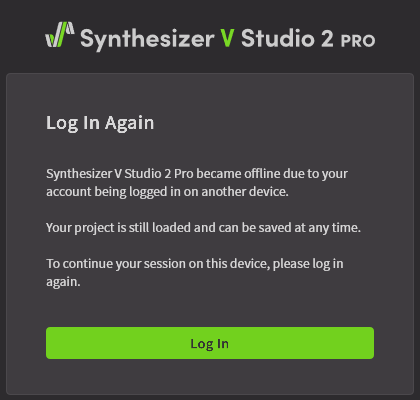
 Both in Logic and as standalone.