A simple reason to that. They seem to have taken it out. I don’t see it either anymore.
1 Like
see up: > Current Status
We became aware of an issue with version 2.0.3 that causes crashes when removing a pitch control point/curve and as a result, we have paused the download for 2.0.3. We will post a fix very soon
so perhaps I am the reason…  (I guess they tried it out as well and saw…)
Edit: There was a 2.0.4 installation package, that was really a 2.0.3, but now it downloaded a real 2.0.4 package. Some caching, mistake or whatever.
Anyway these persons are really working hard as it is quite late in Japan…
2 Likes
Tadaa
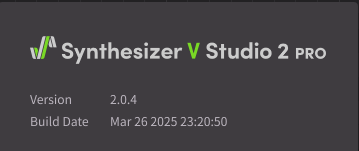
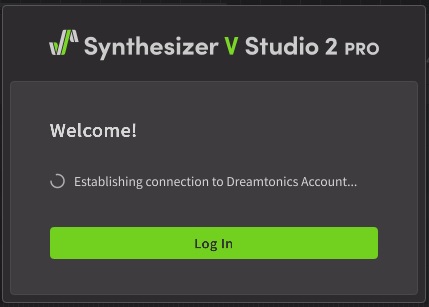
Problems logging in both Standalone and in DAW. SV2 is stuck “establishing a connection”. Currently in V 2.0.4, but had problem with prior versions also. Also had problem with SV2 logging out while in use and up in DAW. Was intermittent, but now cannot log in at all. Tried deleting browser cache. Did not help.
1 Like
It sucks so much that they require a permanent online connection. I usually don’t buy software that does this, but there isn’t really an alternative to Synth V yet.
It would be very nice if we could get a copy protection that doesn’t punish paying customers unnecessarily.

You are correct, I use it like that, just remember that if you wish to use one computer off-line, maybe in the studio, and then a second one when at a remote location, you MUST remember to de-activate the offline registration or your licences will remain locked to that one computer.
I only use my laptop so it is permanently activated for offline regardless of where I take it, I have no problems when there is no internet connection 
1 Like
Right. So the sensible thing would be to leave it online on the main computer, and take the laptop offline when you’re traveling.
That leaves your main computer vulnerable to server/internet outages. Hopefully, that doesn’t happen too often.
1 Like
Just updated to 2.0.4. I can still load v1 voices but instant crash when loading v2 voices! In other words: Completely useless.
Interestingly the initial 2.0.0 worked for me!
Mac Studio M3 Ultra
Sequoia 15.3.2
It would certainly be nice to be able to use two or three offline activations, as other companies do (e.g., Steinberg). Perhaps Dreamtonics will be a bit more generous in this regard in the future?
But at least the online activation doesn’t preclude the possibility of working on different systems.
1 Like
All I have in my account is a “Download” button, since I am already activated. So how do you deactivate and reactivate Offline if you can’t get SV2 to launch?
Unfortunately, deactivation only works from within the SV2 application. You can access your account via the Product Manager button, where you can deactivate the app:
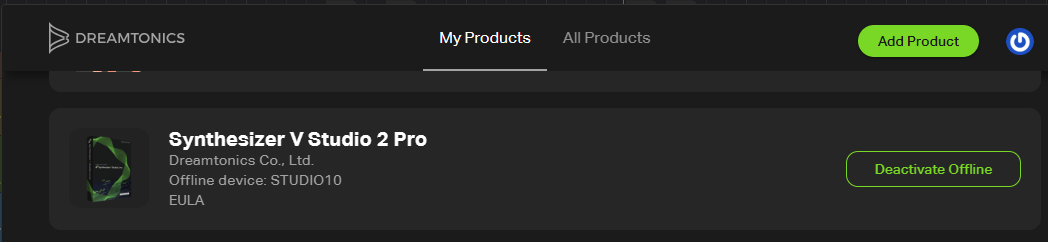
Product Manager in your account should show the same thing, but it doesn’t. I have a feeling something has changed about the accounts, not necessarily SV2. SV2 was working just fine for me, now it won’t even launch. I even reinstalled 2.0.0 which was working just fine, and now it won’t launch either.
I think the differences that appear when accessing the Product Manager from the open SV2 app and from a regular web browser aren’t a bug, but rather intentional. The fact that offline activation, or even the installation or uninstallation of a Voice DB, can only be done from the app seems to be part of the copy protection.
Copy protection should NOT protect me from using my own product… NOTHING should keep me from using a product that I paid hundreds of bucks for.
1 Like
Absolutely agree! I would also prefer if Dreamtonics were more user-friendly in this regard, for example by allowing activations to be managed via the user account.
Have you already opened a ticket?
2 Likes
When using ARA on the latest version of Studio One, on hidpi mode on a 4K display, using Windows 11, it fails to render the UI correctly using the track editor, if you create a new track with Synthesizer V as instrument, it renders fine. Also the contextual menu that appears when you right click is so small compared to rest of the UI
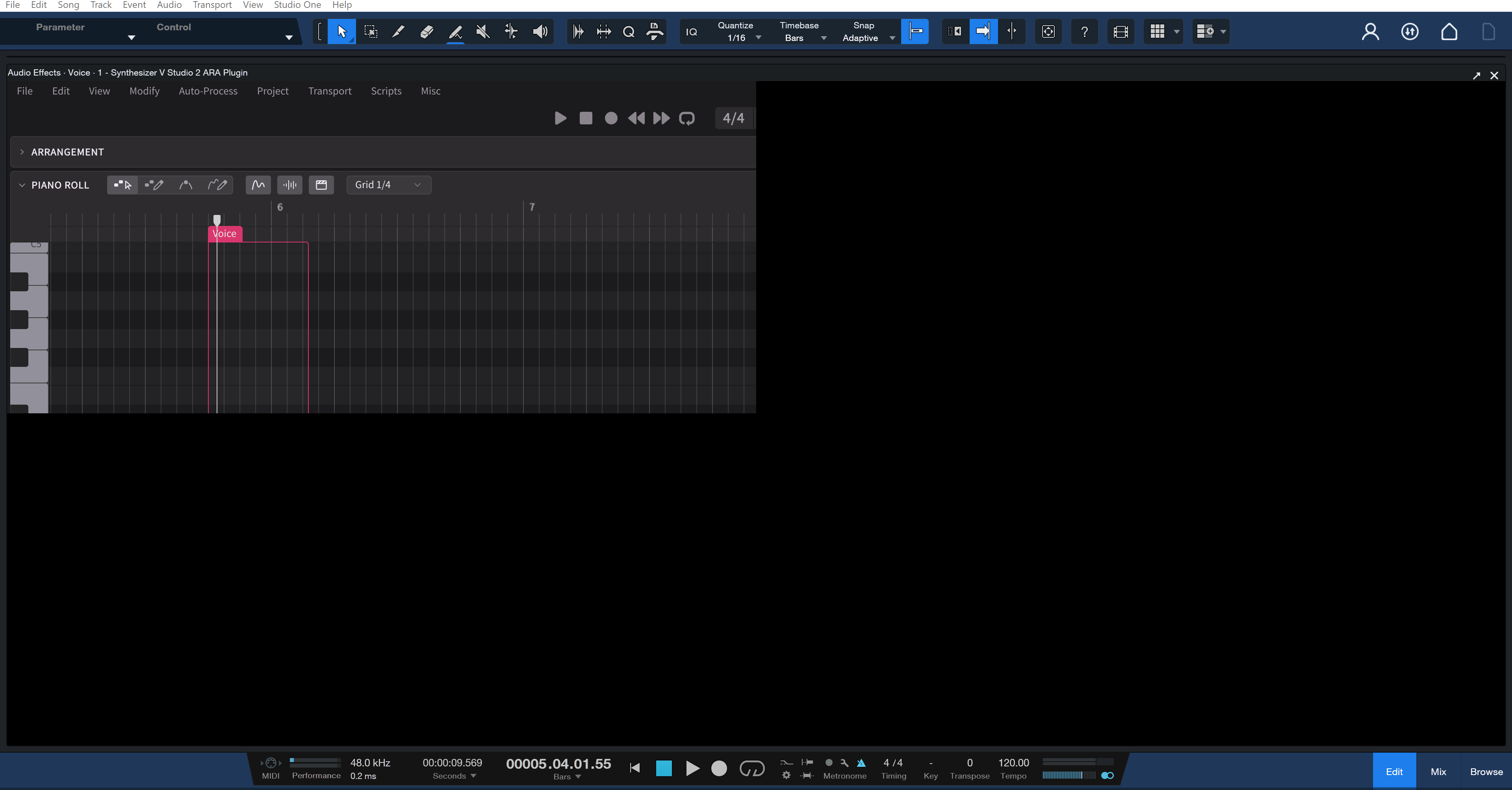
Also some usability issues that prevail from V1, and make ARA annoying to use, at the point where I only use the standalone version
- The playhead always behave like pause, instead of stopping when pressing ‘space’ or clicking the play button when the plugin is focused, you have to manually reposition the playhead everytime you need to audition something multiple times or just use DAW timeline (which loses focus of the plugin btw)
- The plugin captures all the keyboard input, you can’t use DAW shortcuts while the plugin is focused, you always have to click outside your DAW first
- Why the track knobs such as panning and volume can be edited with mouse wheel scrolling while the rest of the knobs cannot? Can we have an option for that?
- Can we have an option for resetting the value of parameters? like double click or ctrl + click?
1 Like
Since this seems to be the place that we are getting official info about updates would it be possible to create a new sticky with the comments turned off because i have to scroll an awful long way to see what version we’re up to? Unless someone knows how to jump to the top of a topic?
Yes, I have reported it to support. I am dead in the water till it’s fixed.