I’m not asking about panning, but about adding stereo width. That is, the resulting voice must be centered at the mid, while having some volume at the side as well. (Recall that the mid is ½ (left + right), and the side is ½ (left - right).)
Provided that I’m not using SynthV’s unison feature, nor SynthV’s room sound feature, the resulting voice will be directed to exactly one direction. Without panning, this direction is exactly the mid.
I don’t think there is SynthV’s builtin way of adding stereo width, so let me seek for doing it externally. Currently, the VST effects I own are ShaperBox 3 and Beam 2. The “WidthShaper 2” in ShaperBox 3 is about multiplying an LFO-driven factor to the stereo width, so it’s no avail when the inputted sound is directed only to the mid. I think Haze in Beam 2 will do it, but this effect is mostly for adding a chorus effect.
Has anyone found how to use Haze for my desired effect? Or is there a better way?
Mid/Side recording for a monoural voice? Why? Your example places a mono sound centre-stage (100% Mid) so anything in Side would be echo or wall reflection wouldn’t it?
If you are using a choral voicebank then maybe there could be a use case but I fail to see how M/S benefits what are essentially electronic sound generators, you cannot use its noise reduction tricks so why bother?
‘Width’ could be added with a delay line (reverb, single wall reflection, etc.) to a mono source in a stereo field with just as much success and less complication than converting to M/S, doing any widening tricks and then presumably, converting back to regular, common stereo that most media will want?
What am I missing?
You can widen a vocal by layering multiple voices in different parts of the stereo field. You can also use stereo wideners (lots of DAW’s come with these as VST plugins).
Personally, I think that using reverb to provide the width is the way to go, but I know for some genres, not much reverb is used, and it might be more appropriate to use a stereo widener.
I looked up Haze and that seems to be a chorus plugin. A widener is more transparent than a chorus even though they can have some similarities.
If you are outputting to WAV files and importing to your DAW, you can duplicate the track, push it slightly forward and pan it full left, then duplicate again, move back a tiny bit and pan full right. Turn the volume down on the panned versions and adjust the timing to create a subtle thickening and widening.
One voice will be mono.
Common ways to thicken up a vocal …Reverb and Delay effects. Don’t overdo it on the main vocal.
Double tracking.. adding a second vocal or using the built in unison.
Very common to use backing vocals harmony (common 3rd and 5ths)
I often have a vocal very low in the mix (you can just hear it) an octave above.
Also experiment with harmonies and octaves below the main vocal.
For the thickness use the pan on these backing.. harmonies.
Certain producers use a lot of layers of vocals for a big sound.
some of the Waves plugins (S1, PS22, and Center) do a decent job of widening, the Ozone one shared by aTonic is nice and i tend to use it on background vocals. i’ve alos experimented with the Waves ADT (automatic double tracking) plugin which simulates the Abbey Roads ADT. and is also nice on background vocals.
another nice trick is to duplicate you main vocal track in SV, then tweak that so the performance is slightly different. then export the main and the duplicated track. in your DAW, position the main track as normal, then the duplicated track - centered, but switch to M/S mode and remove most of the mid, leaving just the sides. this is handy also when you want to bring up a “larger” voice (say chorus) by having this track unmuted or just raising the level (automation can help here) and you could also use this with reverb to also increase it’s apparent size (possibly duplicate the automation to the reverb level as well so it’s synced).
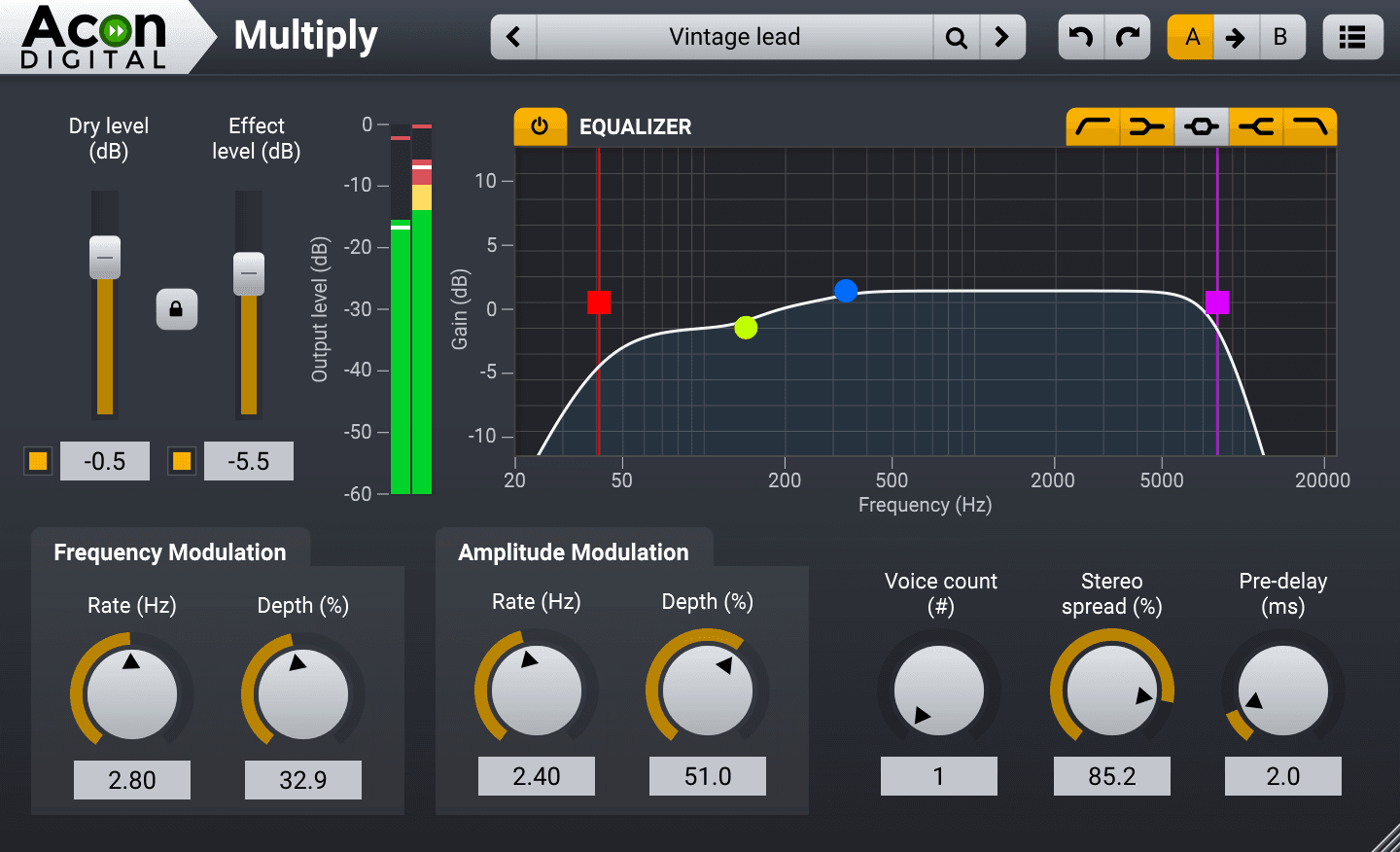
Another great free widening plugin is Acon Digital Multiply.
I’ve been using it for years with great results! Not only does it sound good, respect your CPU, and run stably, but it also has excellent mono compatibility.
You can send the dry signal to another track panned to either/both sides (or use a plugin with dry/wet controls) and add a bit of delay, delayed reverb or pitch modulation to the signal in the sides.
I have done it in different ways. A simple one was using an ISO booth simulation (short reverb, I typically use IK sunset studio) on my track and that is enough to get some width feel while still having the voice centered and feeling basically dry.
For a similar widening effect without taking it from the centre and without obvious reverb, on Snare drums I use Eventide H910 with a touch of pich ratio (but not so much it is evident).
I also use chorus and tape emulation plugins for this “perceived widening” effect on different tracks in my mixes.
Side note: I am not a pro mixer, jus a hobbyist who have discovered some things that work for me.