Hello,
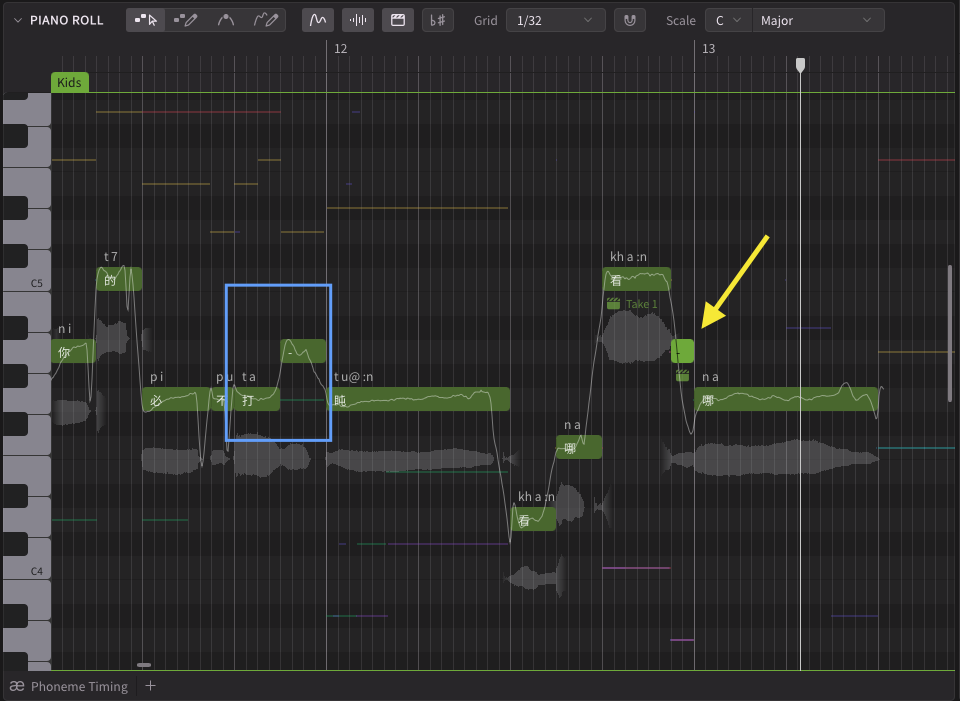
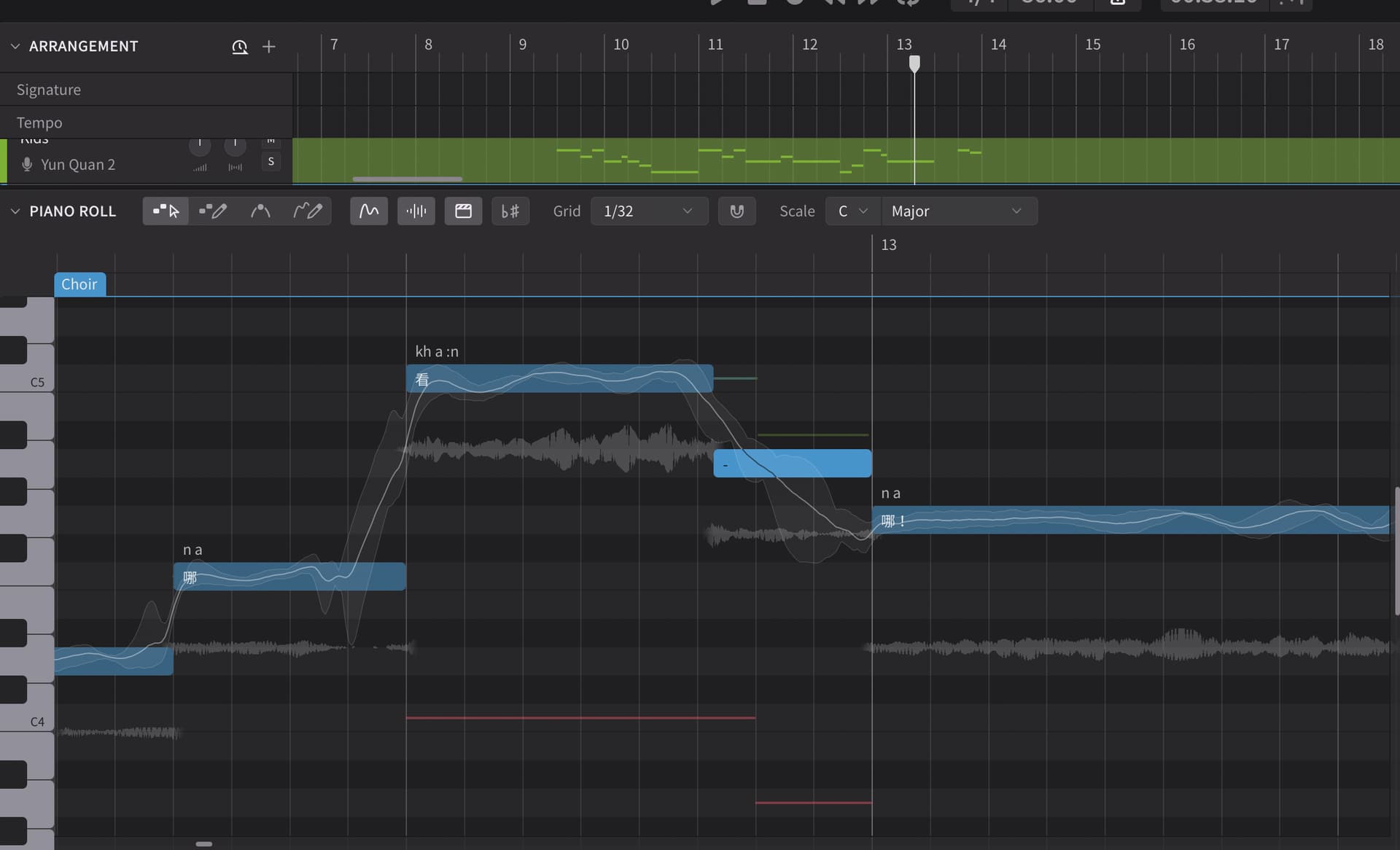
I am having an issue where the highlighted note to the right is not sounding. If I put a lyric there, the note and rhythm will sound just fine. In the blue box to the left, you see I have a similar situation where a melisma is being sung but this one works fine.
I am using what I believe is the latest version of Synthesizer V since I can use the new Choir Voices. Please let me know if any further details would be appreciated.
Thank you!
citynoah
i’m trying to reproduce this just based on the screenshot, and it seems to sound fine on my end. it is the “:n” phoneme you’re trying to extend and not the “a”, right?
the character before is multiple syllables/sounds, and it’s always the last sound that’ll be extended this way unless you manually split it again and edit the phonemes on top.
That is correct. I’ve tried replacing the word with other words that are only one syllable, but the 16th note still refuses to make itself heard. The 16th note will only sound when a new word starts right on it.
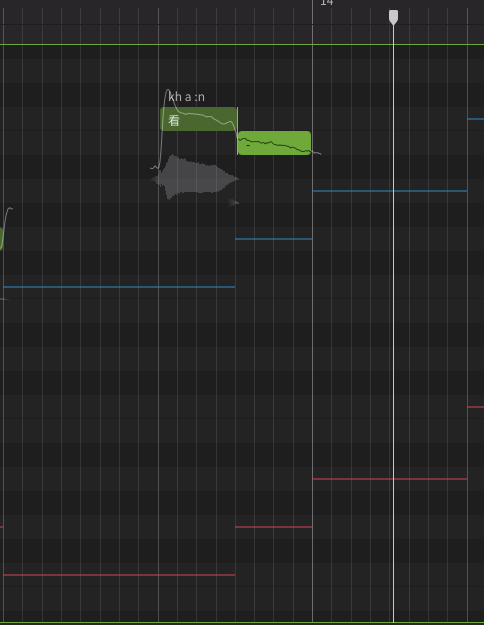
Below is a screenshot of a test I ran to see if I could get the melisma to sound.
I drew the notes with a pencil, typed the word over the first note, and put a dash (-) in the lyric box for the following note. No sound. Both notes will sound if I assign different words to each pitch. Perhaps I’m doing something incorrectly?
weird!! could you tell me what voicebank you’re using? also is this with any additional tuning or changes to the vocal mode? i can see you haven’t done any retakes in this example either, so i really don’t know what would cause this issue…..
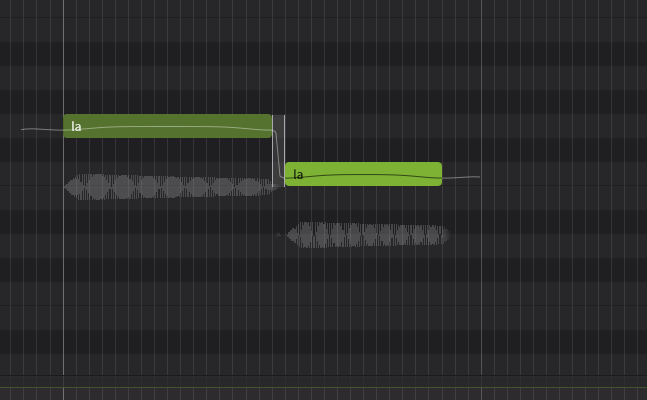
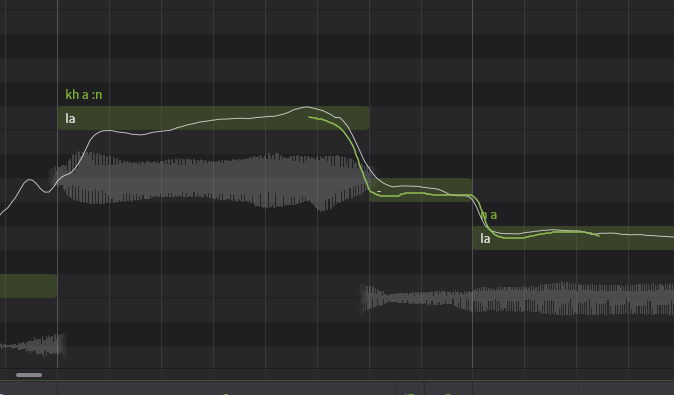
It looks like there’s a very small “SIlence” section in between those notes.
While yours is way less visible due to how close they are. It’s definitely there and would explain why yours doesn’t sound properly.

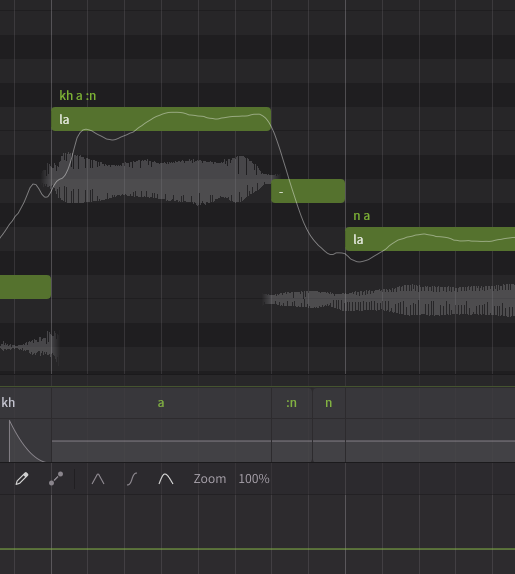
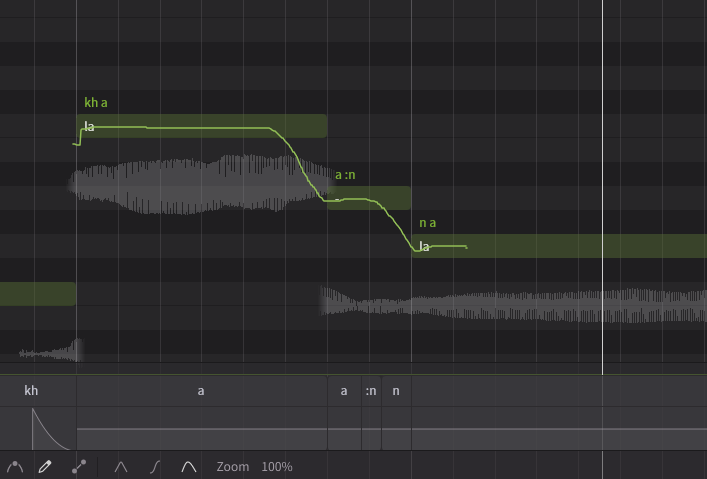
That would be because it’s sounding the “n” sound there. Using the “-” note just extends the note, it’s basically a pitchbend. So it’s also extending the “:n” phoneme and the “n” phoneme for the next note is starting on that note. You have to manually extend the vowel there using the phoneme timing panel, or you can put the needed phoneme on the note as well. I hope that makes sense.
For visual aid. This is essentially what’s happening.
That’s my best guess to how to fix it.
Here is an idea for fix 2.
And if the “:n” phoneme is not needed. You could probably forgo it entirely and it might not sound as rushed.
Keep in mind, I used ANRI Requiem so the results will not be so 1:1 for you probably.
1 Like
Asinine,
Thanks so much for the detailed explanation. I had no idea that we have such control over the timing and placement of the phonemes.
Moving the phonemes around didn’t work, but after playing around with the positioning of the notes the 16th is finally sounding. Maybe the note is too fast for the sound to trigger as a 16th note?
Below you will see that what was a 16th note is now close to a dotted 16th but the note finally sounds.
I am using the choir voices 2 and Lin Lai 2 voice banks. Neither of them sing the rhythm correctly unless I move the 16th note back to become a dotted 16th!