Hello, I’ve just discovered V2 today, and have installed the free trial version to check out as a plugin with Logic Pro before purchase. I was able to record a midi melody in Logic, export it as a Midi file, import it to the V2 plugin, and even got an 8 bar thing sounding pretty good, with the words as I wanted them, BUT, when I go to add a ‘next’ section, eg; the next 8 bars, I repeated the same process, but when I import it to V2 it seems to go to a different ‘track’ so that it’s not a linear single track, and also the V2 track bar count is about 4 or 5 bars different to Logiccs’ time/bar-line. I’d appreciate any help which can point to a dedicated Tutorial on exactly how to use this plugin in Logic Pro to get all the functions working properly. Many thanks in advance…
Did you check that the tempo (BPM) is the same in both Logic and SynthV? If they’re different, the bar count won’t match.
Also, the paid version of SynthV includes a VST plugin that runs inside your DAW and stays synced with the DAW’s tempo and playhead.
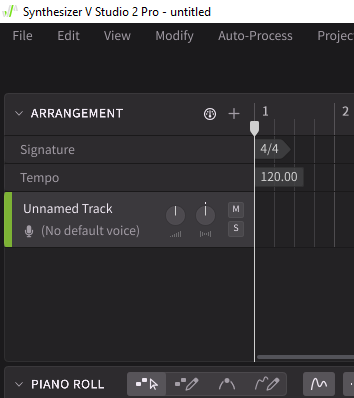
Thanks for your reply Sonix. Yes, I had the tempo and time signature (160bpm - 12/8 time sig) the same in V2 and Logic, but it seemed to randomly default back to 4/4 @ 120bpm whenever I tried to do the ‘next section’ that I referred to in my post, so I’m not sure what’s happening there.
Re; using in a DAW (Logic) are you saying that the free trial version is not meant to work in a DAW? Strange, because as I’ve said, I do have it as a plugin within Logic. I don’t see how one could use this vocal instrument without being in a DAW, as we need to have the “vocal” playing WITH the music etc, in order to compose/edit the “vocal”.
How are we supposed to try this unit out if the freeby is not sufficient to use in a DAW…I’m confused, as I’m quite keen on this thing, but am hesitant to just pay the full price (and also need to buy Singers) if I don’t have the opportunityy to see it in action from my end.
I’m interested to see what other users have experienced when using the free trial version, and, well, any other aspects that could help me here…Thanks again…
Here’s a screenshot of V2 in Logic.
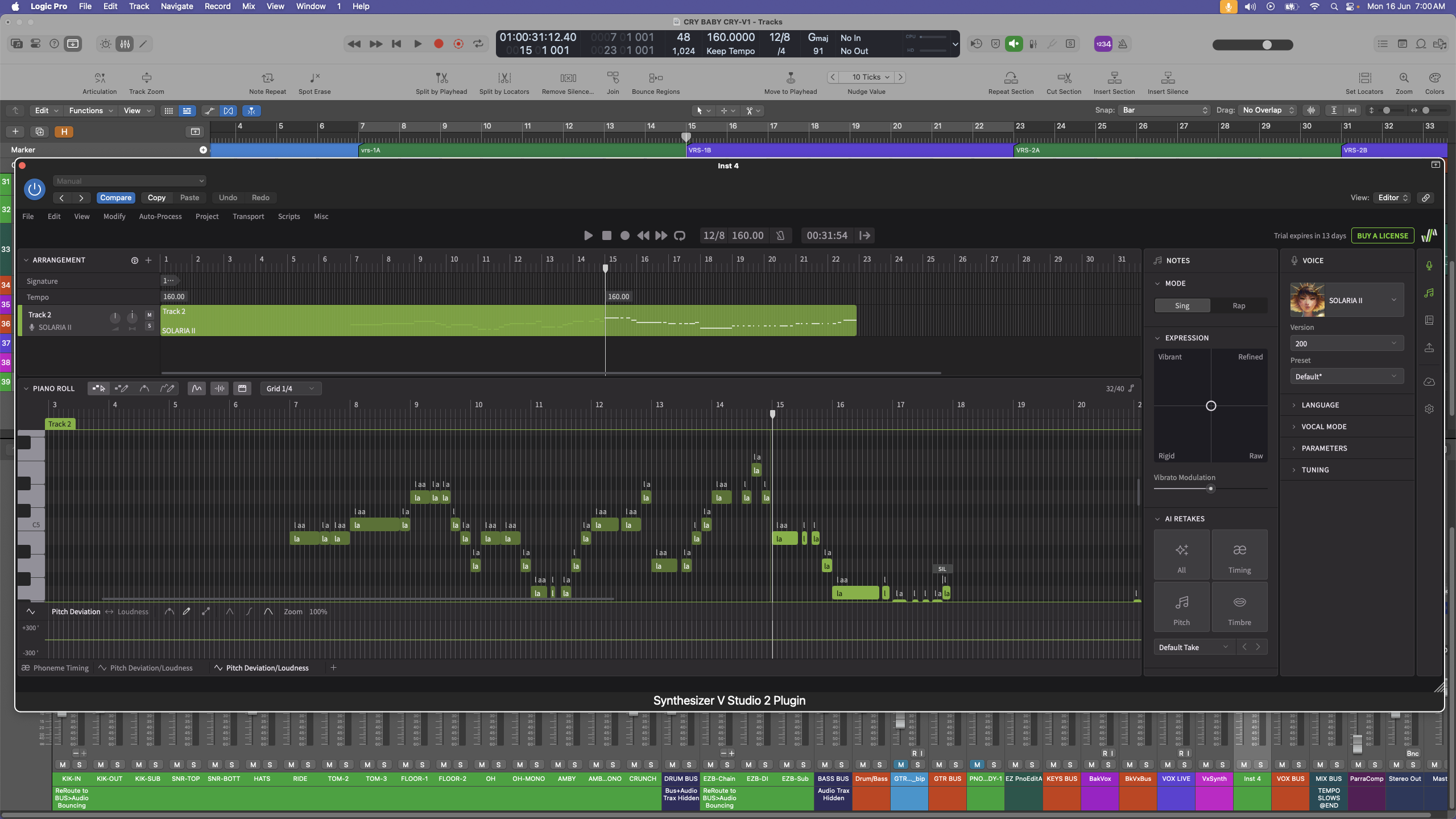
This is just raw notes, no words yet, and the section from Bar7 to Bar 15 is the first “section” I entered using an imported Midi File. It plays as expected, but the 2nd "section, after Bar 15, which has a Voice/Singer assigned, and also is showing in the piano roll…it makes no sound…nilch, nada.
Any suggestions for this error?
When I tried it, I was using version 1 Basic, which didn’t support VST. I assume version 2 does include VST support, but there might still be a bug related to tempo syncing in that mode.
The older trial version was also limited in how long a song you could create, it would only render vocals for a certain number of bars.
Here’s a quote I found (likely referring to version 1), so keep in mind VST support may have only been added in version 2:
“Synthesizer V trial versions have several limitations depending on whether it’s a ‘feature-limited trial’ (FLT) or a ‘lite’ version. FLT voice databases, like the one for D-Lin, restrict project files to a single track, limit output to 45 seconds, and may disable features like Vocal Mode and AI Retakes. Synthesizer V Studio also has a Basic version with limitations like a maximum of 3 tracks, and it may not support advanced features like VST3/AU plugins.”
Thanks again for replying…I understand that there may be limitations with the free trial version, but does this address the issue I show in my screenshot, where the section from Bar 15 doesn’t play any sound at all, while the Bar 7 to Bar 15 does have sound. I’m not sure whether or not to buy this kit if I can’t even get it to "perform/edit’ just One Track which is the length of the song. Scratches his head, pulls out the little bit of hair remaining…
If SynthV isn’t rendering audio, it’s usually due to:
- Overlapping notes – they’re disabled and won’t produce sound.
- Trial limits – the free version only renders about 32 bars.
That said, your song looks shorter than that, so I’m not sure why it’s happening—another reason I recommend contacting support.
I also suggest checking the user manual via https://dreamtonics.com (top-right menus).
It can feel overwhelming at first—I struggled too—but it becomes second nature. I’ve used it for months and really enjoy it. You can also find songs on YouTube from other users to see what’s possible with different voice banks.
Thanks again. I was thinking I’d just bite the bullet and buy this unit, so I searched and searched where to buy the SOLARIA vocalist, which I have with my free trial (about to expire)…a search claims that It’s available on the Dreamtonics website, but when I go there to explore the “bundles” and/or VOICES tab, there’s no SOLARIA voice, even thought SOLARIA is shown in their ‘promo’ on the website…completely contardictory…what am I missing? The Dreamtonic website is not very helpful. Any suggestions on where to find Solaria?
Thanks Fossile, but I’m still confused. I used the link in your reply and got this website…SOLARIA – Eclipsed Sounds
Which appears to be a completely different program…?
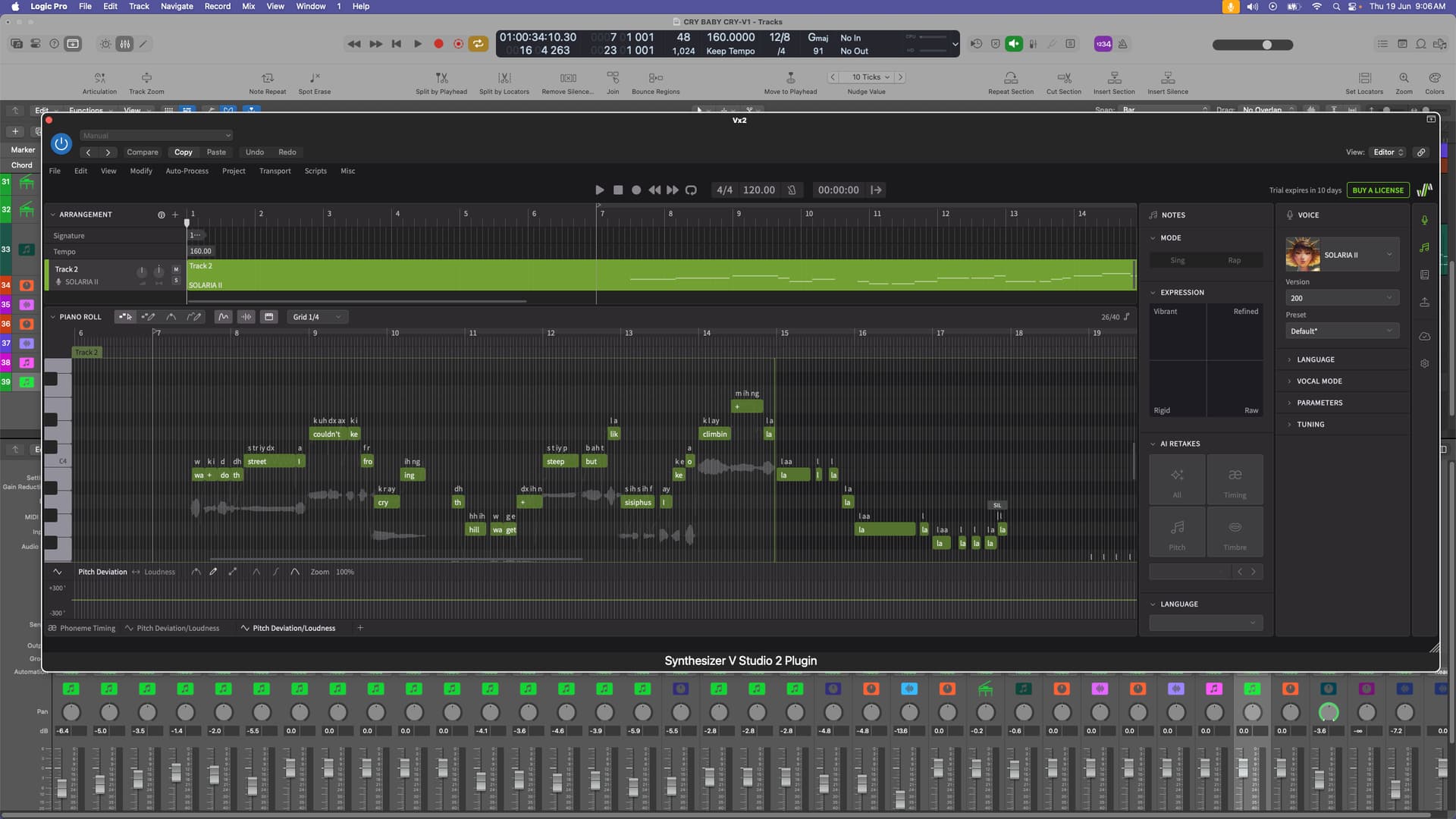
Here’s a screenshot of my Logic session which has the free trial of Snth V2 with SOLARIA 11 as the one voice I included when I first opened the trial version. Where exactly do I get this Dreamtonics V2 Pro which includes SOLARIA 11…? I just keep going in circles without getting the option to Buy V2Pro which includes SOLARIA 11 …I don’t really want any other voice packages. I’ve been writing, recording and performing my songs for 50 years, and the main reason I’m interested in SOLARIA 11 is for;
a) Sketching out vocal melodies etc when writing a song, even though I’d end up doing my own vocal recording once the song is ready.
b) I’d use SOLARIA 11 for doing backing vocals. I do have East West Hollywood Singers, and although the sound of the voices is really quite good, it’s a real beast when it come to getting “lyrics” to sound anything close to Snth V2 Pro…after only 10 minutes using the free trial on the Logic session attached, I had it giving a very workable result.
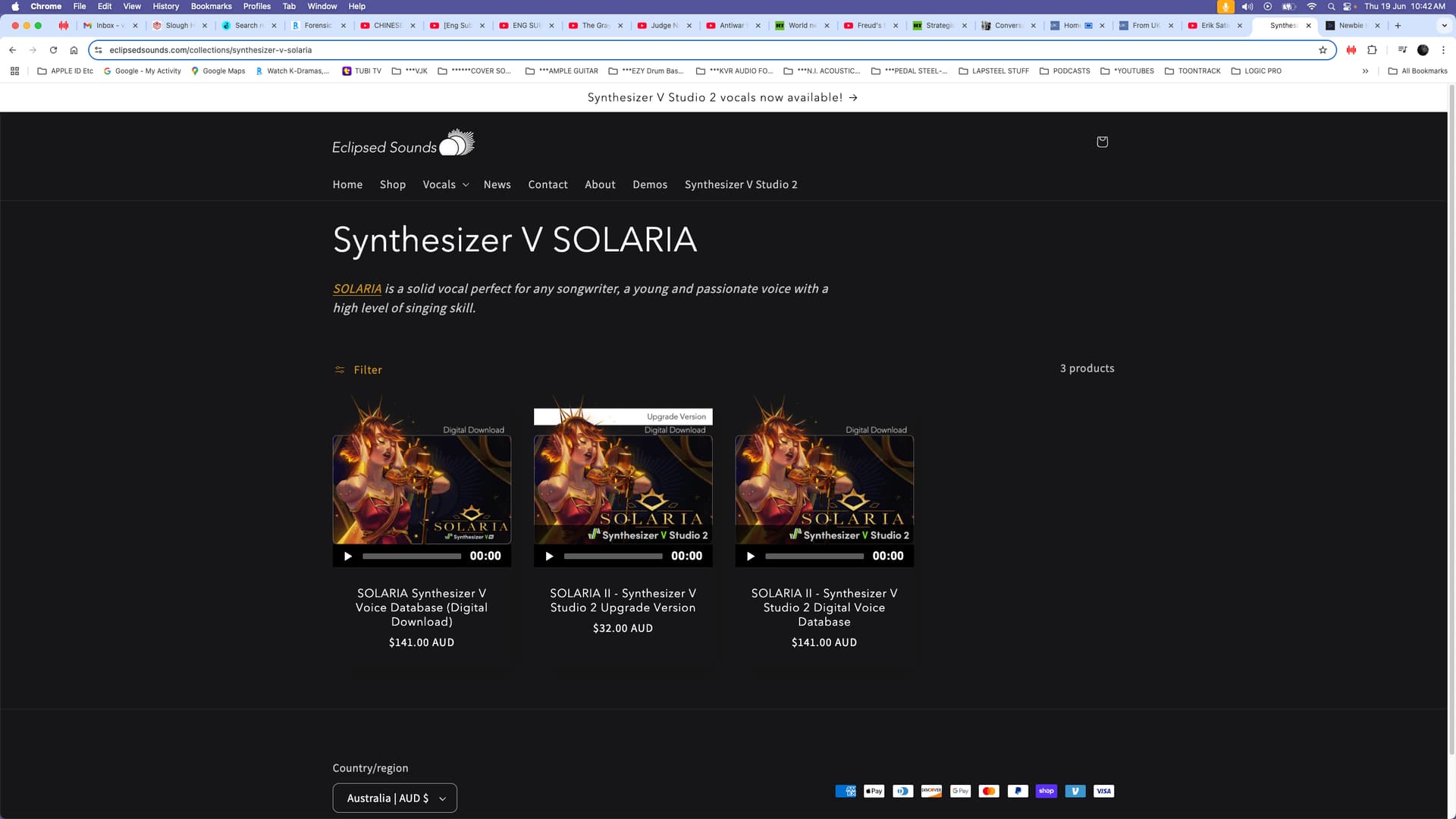
Did a bit more digging and it appears that I have to buy SOLARIA 11 direct from Eclipsed Sounds, and that Dreamtronics do not sell it…why oh why then do Dreamtonics have it front a centre in their promo clips, leading one to think that I can purchase Synth V2 Pro AND Solaria 11 as a bundle.
Looking at this from Eclipsed it seems as if I have to pay $141 AUD or $32 AUD … as I’ve never had Synth V1 before, this means I will be paying $152 AUD for Synth V2 Pro AND $141 AUD, totalling $293 AUD for the V2 “engine” and only one Voice…is this correct?
Is this the only way to get this unit?
you should reach out to Dreamtonics for answers. i’m not sure why they would not have Solaria on their site as i got my upgrade via their upgrade all voices package.
SOLARIA is a voice database released by the third-party manufacturer Eclipsed Sounds, not a product of Dreamtonics itself. Dreamtonics not only releases its own voices but also produces voices for third-party companies. Therefore, to purchase third-party voice database products, you usually need to visit the partner’s page for purchase.