I’m continuing to develop the Korean Tweaks script, but I noticed a problem.
Currently, this script utilizes the Mouth Opening automation when invoking the option for distinguishing ㅐ/ㅔ, or the option for monophthong-izing ㅚ. The problem arises because the automation is applied to the entire note, not just to the phoneme in question. This may wrongly affect the onset(s) of the following note.
So I need a way to get the timestamps of endpoints of each individual phoneme. How can I do this? I can’t find such a way in the official scripting manual.
There is finally a manual for version 2 (and no longer for version 1). On the other hand, the scripting language is still the poor relation of this version 2. Version 1 already lacked a lot of features for this scripting language (voice, non-modal interactive dialogs, some parameters etc.). But in Version 2 it’s worse. Nothing for all the new parameters of vocal mode, expression, ai retakes, presets and of course the new automation parameters as well as phoneme timing.
With the new beta 2.1.1 there are new script attributes:
phonemes: array of objects, each containing:
symbol: string - the phoneme symbol
language: string - the language of the phoneme
activity: number or null - the consonant activity level (if applicable)
position: number or null - the consonant position (if applicable)
Currently it seems that with the note getAttributes() , “phonemes” and “getComputedAttributesForGroup” only get updated values in the “Phonemes Timing” bar.
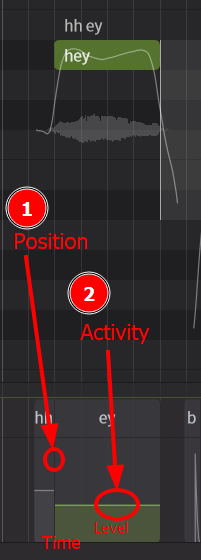
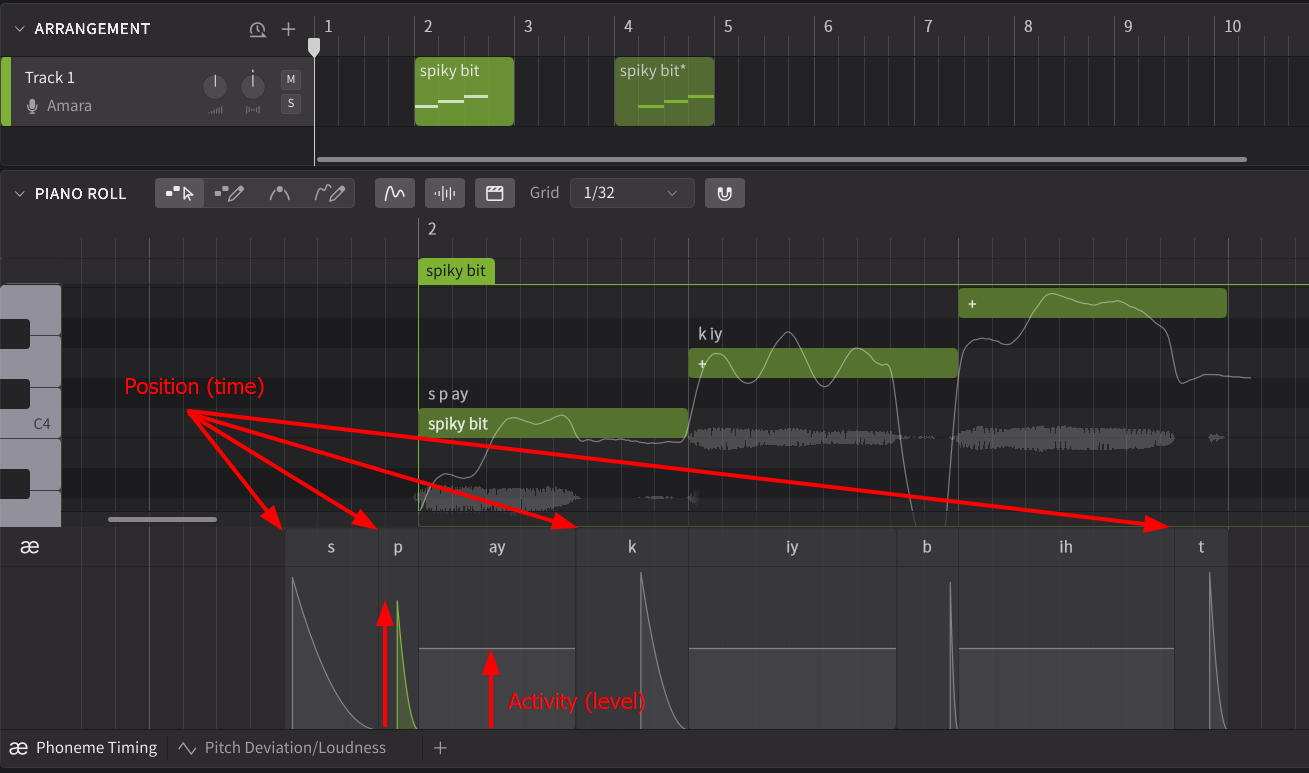
After some thought and careful study (which lasted about 1 microsecond..), I suspect that the position is the position (time) and the activity is its activity (level). For the truth to come out, you have to display the phoneme timing panel to understand the functionality. Another possibility is to write with a simple test script.
When I say to click on the phoneme timing panel to try to understand instantly, it’s not just a figure of speech. But a picture it quicker than a long explanation:
As mentioned above, there are only two attributes for a symbol (position and activity), and this is for each phoneme (p, t, k, x, y, z, etc.). Thus, ‘p’ has its own position (time), ‘t’ has… etc.
Each phoneme has a position (time) and an activity (loudness), regardless of its content (could be retrieved by script with getComputedAttributesForGroup). But user modifications with time and loudness (green region in phoneme timing tab), you have to search inside the properties for the phonemes of each note.
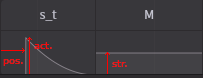
position as the ratio by the duration of the phoneme, and activity as the ratio by when the phoneme is “fully active”. The highest value possible is +1 in both cases.
It’s something a little more complex.
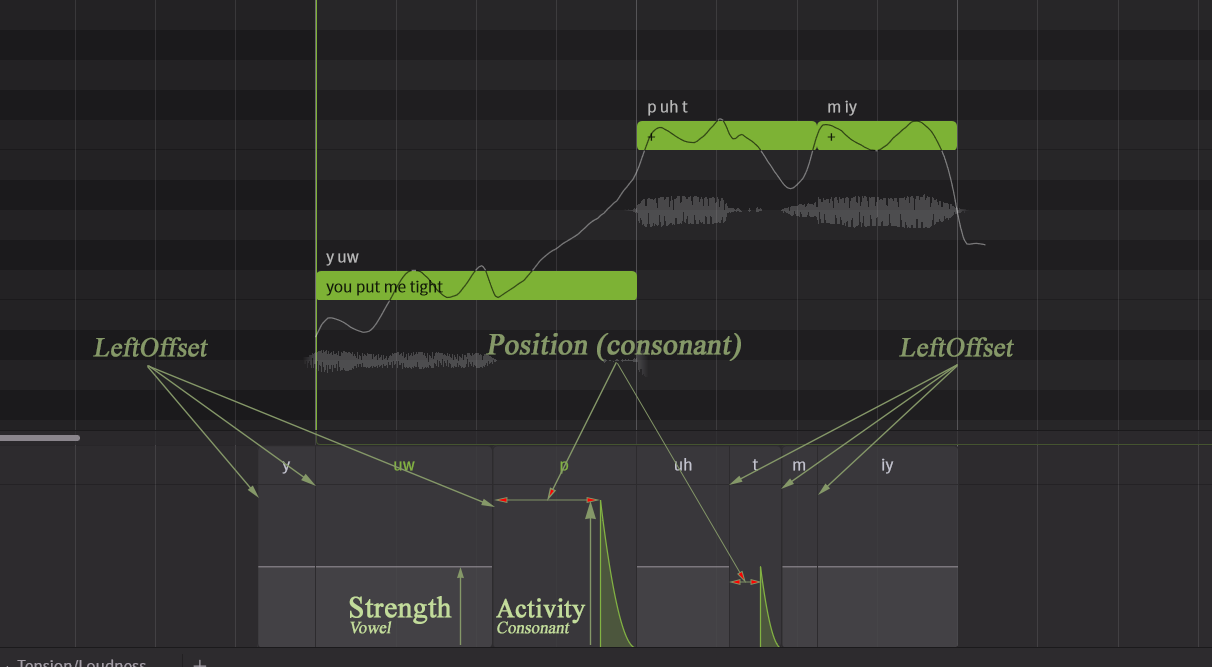
I am trying there to describe the properties of phonemes that are described nowhere else.
By default note phonemes attributes (getAttributes().phonemes) is always empty.
Parameters:
Position = Phoneme position for consonant phonemes: default 0 - Range: 0 to 1
LeftOffset = Position updated by user for ALL phonemes: default 0 - Range: -n to +n
Activity = Consonant: default 1 - Range: 0 to 1
Strength = Vowel: default 0 - Range: -1 to 1
API: Note phonemes attributes (getAttributes().phonemes):
Position = default None. If updated by user, consonant phonemes: New position.
Activity = default None. If updated by user, consonant phonemes: Add new activity value & strength=0.0
Strength = default None. If updated by user, vowel phonemes: Adding strength value.
API: getComputedAttributesForGroup: Return all phonemes symbols for each notes.
Position = Limited to consonant phonemes
Activity = Limited to consonant phonemes
Vowel = None
If updated by user, values are overrided by note phonemes attributes.