Dear Users,
We are excited to announce a technical preview for an upcoming update to Synthesizer V Studio 2 Pro, featuring several experimental changes. We welcome early feedback from the user community to help refine these updates.
About This Technical Preview
This release differs from our standard beta program. We are currently evaluating several major changes in parallel, which have not yet reached the feature maturity typically required for a beta. However, given the scope of these updates, early feedback is highly beneficial. This allows us to validate our direction and make informed decisions before committing further to specific development paths.
Download Links
Windows: https://drive.google.com/file/d/1aWf4_5jNEcqOw6CCsqBcA7hiDb-__Wk7/view?usp=drive_link
macOS: https://drive.google.com/file/d/1Y3BApiCuvH7NoeiYv4xsTkc7lTCv5XTh/view?usp=drive_link
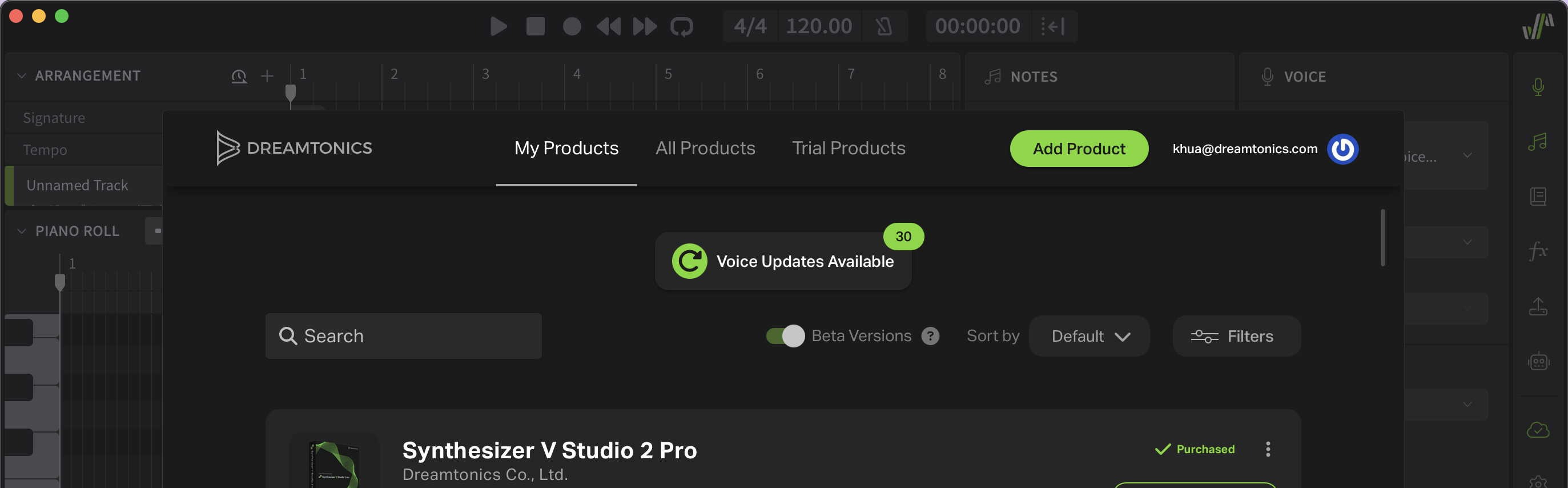
To access beta voice updates, open Product Manager from within Synthesizer V Studio 2 Pro and enable “Beta Versions”.
Highlights of the Technical Preview
Rendering Speed Improvements
Version 2.3.0 Technical Preview introduces a major backend refactoring designed to reduce multithreaded rendering overhead on modern CPUs. This addresses performance issues on big-little core architectures observed in previous versions. On processors with four or more cores, rendering speed has improved by 30%–50% compared to the previous version. Additionally, projects with multiple voices now load significantly faster, as voice loading occurs in the background.
Windows on ARM Support
Synthesizer V Studio now includes native support for Windows on ARM. Note that plugin availability may depend on your host application’s ARM support.
French, German and Portuguese Support
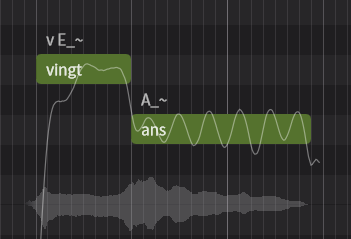
For the first time we present French, German and Portuguese cross-lingual synthesis support for Synthesizer V. The additional language support is enabled by updating voices to version 204b1 and updates are currently available for all version 2 Dreamtonics voices. Please note:
-
For Portuguese, we currently target a relatively neutral Brazilian Portuguese accent.
-
We are aware that the current phoneme set and notation system may not be optimal. They are subject to ongoing refinement and we do not guarantee phoneme compatibility between this technical preview and the final release.
Predictable and Reproducible Rendering
The voice update also resolves a long-standing rendering stability issue. Previously, minor changes to note positions could cause significant variations in pitch and timbre under certain conditions. This typically manifested as sudden volume dips across a subset of notes in a long sequence, or inconsistent vocal quality depending on the rendering start position. After carefully analyzing error propagation within the voice synthesis model, we implemented targeted design adjustments to ensure predictable and reproducible rendering results.
Korean Improvements
Korean word-to-phoneme conversion has been improved based on feedback from native speakers. These changes apply to existing voices and do not require a voice update.
Reporting Issues
Please submit bug reports through our support form. Please specify version “2.3.0tp1” in your ticket:
https://dreamtonics.zendesk.com/hc/en-us/requests/new?ticket_form_id=44558189476505
While we welcome feedback on the forum, we may not be able to address the replies promptly. It’s also difficult to request necessary details (e.g. project files) for bug reproduction in a public forum. Therefore, we kindly request that you report issues via the support ticket system.
Synthesizer V Studio 2 Pro 2.3.0tp1
New Features
- Added experimental cross-lingual synthesis support for French, German and Brazilian Portuguese (v204 voice update required).
- Added native Windows on ARM support.
Behavior Changes
- Reset existing pitch and parameters when applying Voice-to-MIDI conversion to an ARA-mapped group.
- Create the new track under the instrumental track when applying Voice-to-MIDI to an instrumental.
- Merged “Import Audio…” and “Import Project…” menu items.
- Renamed “Misc” menu to “Help” to enable native macOS command searching feature.
- Save loop status in the project files instead of the editor’s settings file.
- Group duplication by holding Alt/Option and drag now follows the default group pasting behavior (linked vs unlinked) settings.
- Hide tools and mode options when the piano roll is collapsed.
- When inserting lyrics, treat consecutive spaces as a single note separator.
- When converting a version 1 project, split pitch curves at note boundaries.
- Default to saving the project inside the host when importing a project into the instrument plugin.
- Ignore file extension casing when importing files.
Feature Enhancements
- Improved Korean grapheme-to-phoneme conversion.
- Improved multithread rendering efficiency.
- Reduced project load time by loading voices on a separate thread.
- Allow project data to be copy-and-pasted across standalone and plugin, or across separate plugin instances.
- Improved MusicXML import:
- Added support for repeats.
- Added support for mid-measure tempo changes.
- Fill notes with the default lyrics if the score contains no lyrics.
- Added menu commands and key shortcuts for toggling loop mode and metronome.
- Automatically extend a group during MIDI recording.
- Allow individual automation points to be deselected with Ctrl/Command + Click.
- Show files overwrite warning when exporting audio files to the same destination.
- Improved the error display in the case of file/voice loading failure.
Bug Fixes
- Fixed position-dependent/non-deterministic rendering results (v204 voice update required).
- Fixed “Prevent Group Overlap During Dragging” settings option affecting note creation.
- Fixed plugin loading failure due to Garageband’s app sandboxing.
- Fixed project not rendering after reopening a project based on the ARA plugin.
- Fixed piano roll keyboard’s preview tone being routed to the wrong plugin output channel.
- Fixed crashes when closing the program during playback.
- Fixed crashes when executing “Remove Short Silences”.
- Fixed crashes after removing the ARA plugin from REAPER for the second time.
- Fixed crashes when deleting the group/track/project during MIDI recording.
- Fixed ghosted dialogs after removing the plugin.
- Fixed occasional unsynchronized playback when using the instrument plugin in Cakewalk.
- Fixed occasional unsynchronized playback between synced tracks and local tracks when using the ARA plugin in Cubase.
- Fixed pitch control points/curves deviating from the intended positions when the note is clipped by the group’s boundary.
- Fixed an audio group affecting the length of a note group from a different track when dragging it in the Arrangement view.
- Fixed dialogs and voice selector not conforming to the HiDPI scaling on Windows.
- Fixed menu commands getting stuck in a disabled state after canceling a dialog on macOS.
- Fixed several feature regressions introduced in version 2.2.1:
- Fixed broken compatibility with certain audio devices.
- Fixed crashes when reopening certain Studio One projects using the ARA plugin.
- Fixed phoneme conversion regressions when encountering certain Korean/accented latin characters.
- Fixed voice preset under Voice panel not resetting Unison parameters.
- Fixed changes to application settings not being saved when multiple plugin instances are open.